Documentation overview
CoIsland watches your tools from an island at the edge of your screen, and hands what needs work to an AI agent. You keep the final say.
What you need
- A Mac with Apple Silicon (M1 or later) on macOS 14 or later. CoIsland does not run on Intel Macs.
- Nothing to buy to start. CoIsland Community monitors all your agents, plus 2 monitors on your dev tools, for good, with no card and no account; Lifetime runs all of them, paid once, refundable within 30 days.
- An account on each tool you connect, and a token CoIsland can use. Each connector's guide says which.
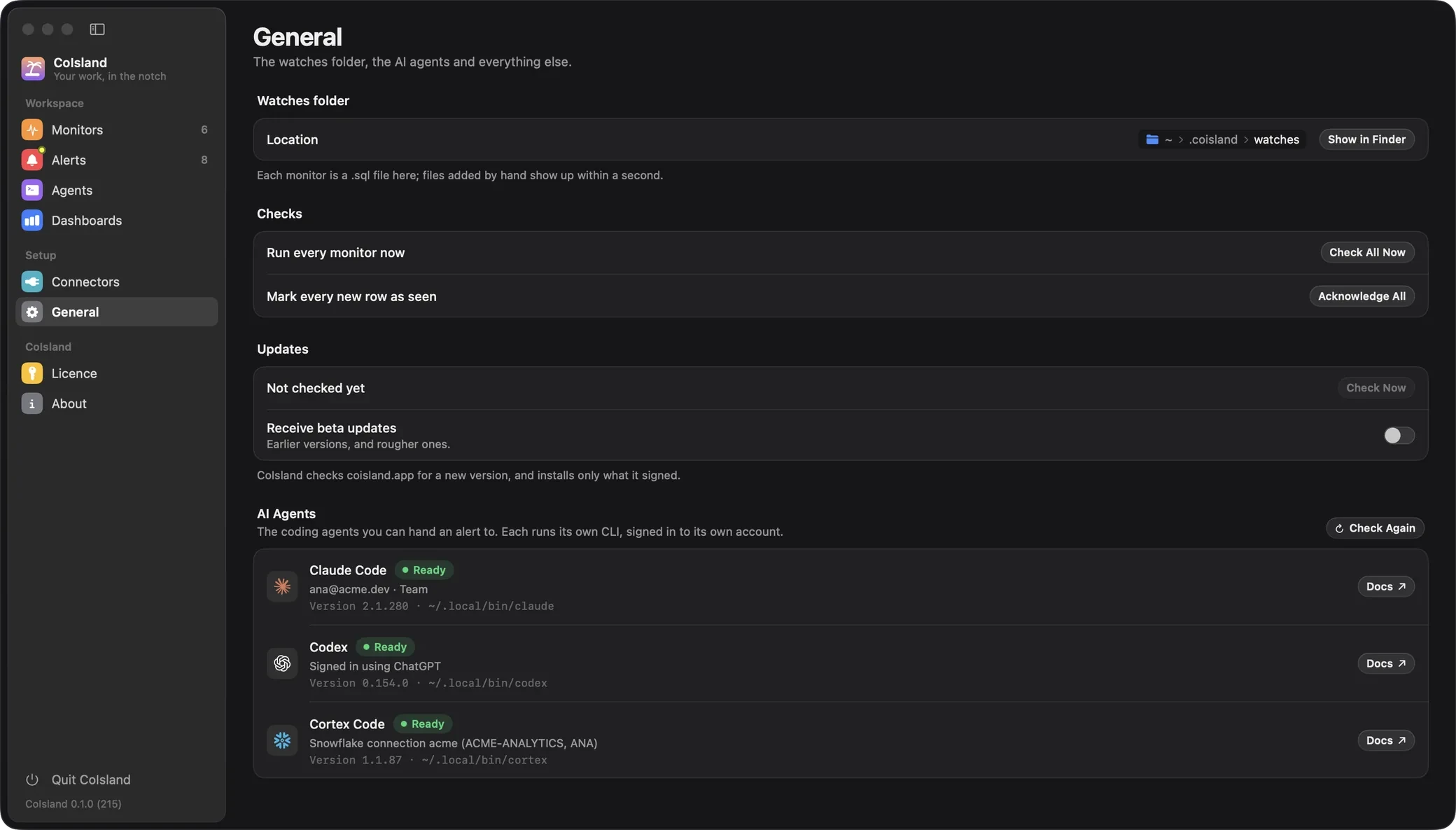
- For agents, optional: the CLI of Claude Code, Codex or Cortex Code, signed in. Settings › General › AI Agents helps you install it.
Start here
- Getting started Install, connect a tool, see your first alert, and add a licence for every monitor.
- Connectors Find your tool: the token it needs and what it can watch.
- Set up with your AI Let Claude Code, Codex or Cortex Code create monitors for you.
Then, when you need them: Watch files to edit monitors anywhere and keep them in git, and Agents to hand an alert to Claude Code, Codex or Cortex Code.
How CoIsland fits together
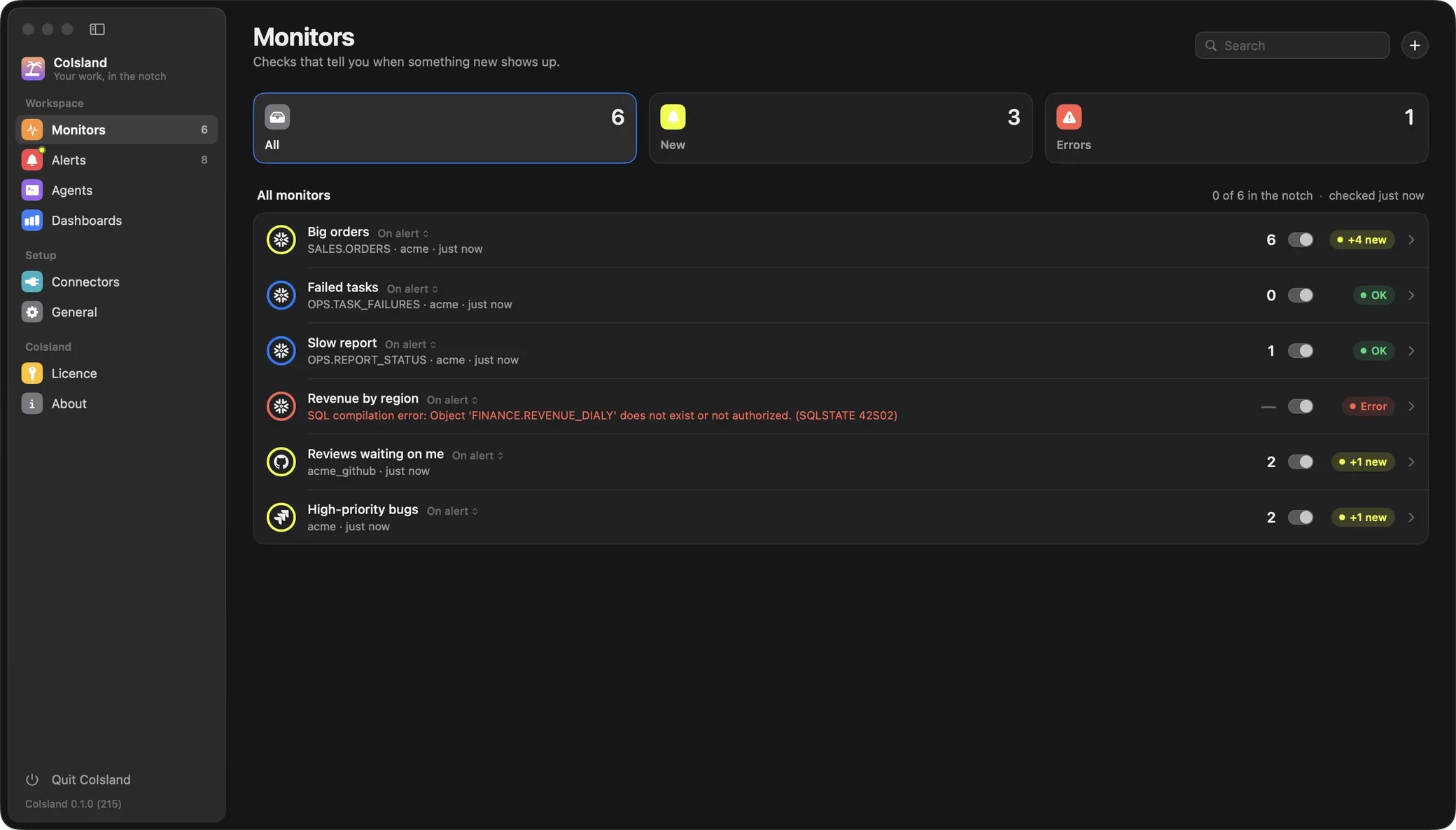
CoIsland checks your tools through connectors on a schedule and turns what changed into alerts in the island (the right edge of your screen at first; move it to any edge). Each part has its section in the Settings window: open it from the gear in the island or Settings… in the menu bar icon.
| Part | What it is | In Settings |
|---|---|---|
| Connectors | An account on one of your tools: 39 today, more on the way | Connectors |
| Monitors | One question asked of one connector on a schedule: every 15 minutes by default, at least 30 seconds, at most 30 days | Monitors |
| Alerts | One time a monitor fired: new rows or items appeared, or a count started breaking a rule such as count > 0. New, acknowledged or resolved, with notes |
Alerts |
| Agents | Claude Code, Codex or Cortex Code in a terminal under an alert, the whole alert as its first message. Sessions can be resumed, stopped or archived | Agents |
| Dashboards | Alerts raised, open alerts, time to acknowledge and resolve, check success, over 24 hours, 7 or 30 days | Dashboards |
| Setup | The display the island stays on, the watches folder, Check All Now, Acknowledge All, and each agent’s CLI | General |
A monitor’s first check records a baseline and raises nothing. After that, new rows or items fire it, and a count rule fires once, when it becomes true, not on every check while it stays true.

Where CoIsland keeps your data
There is no CoIsland server and no CoIsland account. The app talks only to your tools’ own APIs, and what it keeps stays on your Mac: your monitors and the agents’ folder in ~/.coisland/, the app’s own state in ~/Library/Application Support/CoIsland/, a folder only your macOS user can open, where the files named alone below live.
| What | Where |
|---|---|
Monitors, one .sql file each |
~/.coisland/watches/ |
| The folder agents work in, with a read-only copy of each alert handed over | ~/.coisland/agents/ |
| What each monitor saw last: hashes of row keys, never the values | state.json |
| Alerts, the 500 newest, with the rows that fired them | alerts.json |
| Check history for the dashboards: 62 days, one file per day, without rows or error messages | checks/ |
| Agent sessions | agents.json |
| Connectors, without their tokens | connectors.json |
| Connector tokens | Your login Keychain |
Snowflake connectors are kept there too. CoIsland reads the Snowflake CLI’s ~/.snowflake only to import its connections, once at first launch and from the Snowflake form, and never writes to it. Only connections that sign in with a programmatic access token are imported.
Common questions
Do I need an AI agent to use CoIsland?
No. Alerts reach the island and Settings › Alerts without one, and you acknowledge, resolve and add notes yourself. An agent is for the alerts you want help with.
Can an agent change things without asking?
It changes what is safe and can be undone. Claude Code and Codex start in their auto modes, and every agent is told to ask you before anything destructive or hard to undo. It never acknowledges or resolves an alert: you do. You can narrow its mode from inside its session.
Which tools can CoIsland connect to?
39 today, under the same seven headings as the app. Calendar & mail: Gmail, Calendar, Dock badges and Apple Mail. Code & deploys: GitHub, Vercel, GitLab, Cloudflare, Render, Docker and Local dev. Issues & docs: Jira, Linear, Confluence, Asana, ClickUp, Todoist, Notion, Shortcut, Airtable and Reminders. Errors & on-call: Sentry, PagerDuty, Datadog, New Relic and Langfuse. Data: Snowflake, Databricks, dbt, PostHog, Supabase, PostgreSQL, MySQL and ClickHouse. Web & scripts: HTTP / JSON, RSS / Atom, status pages and shell commands. Business: Stripe. The connectors index has each one’s setup guide, and more connectors are on the way.
Where do I get help?
If a step does not work as a page describes, or you need a connector that does not exist yet, write to us from the contact page and say which page you were on and what CoIsland showed. Each version’s changes are in the changelog.
Stuck? Open an issue on GitHub, or write to hello@coisland.app.