Watch files
Every monitor is a plain .sql file you can edit in any editor and keep in git.
What you need
- The watches folder,
~/.coisland/watches. - A text editor.
On this page
Every CoIsland monitor is a watch file: one plain-text .sql file in ~/.coisland/watches, whichever connector it runs on. Comment lines at the top hold its settings, and the rest is what it asks, in that tool’s language: SQL for Snowflake, a GitHub search or filter, JQL for Jira, and so on. The Settings window writes these same files, so you can also edit watch files in any editor, review them in git and share them with your team. That is monitoring as code, with nothing else to install.
Where watch files live
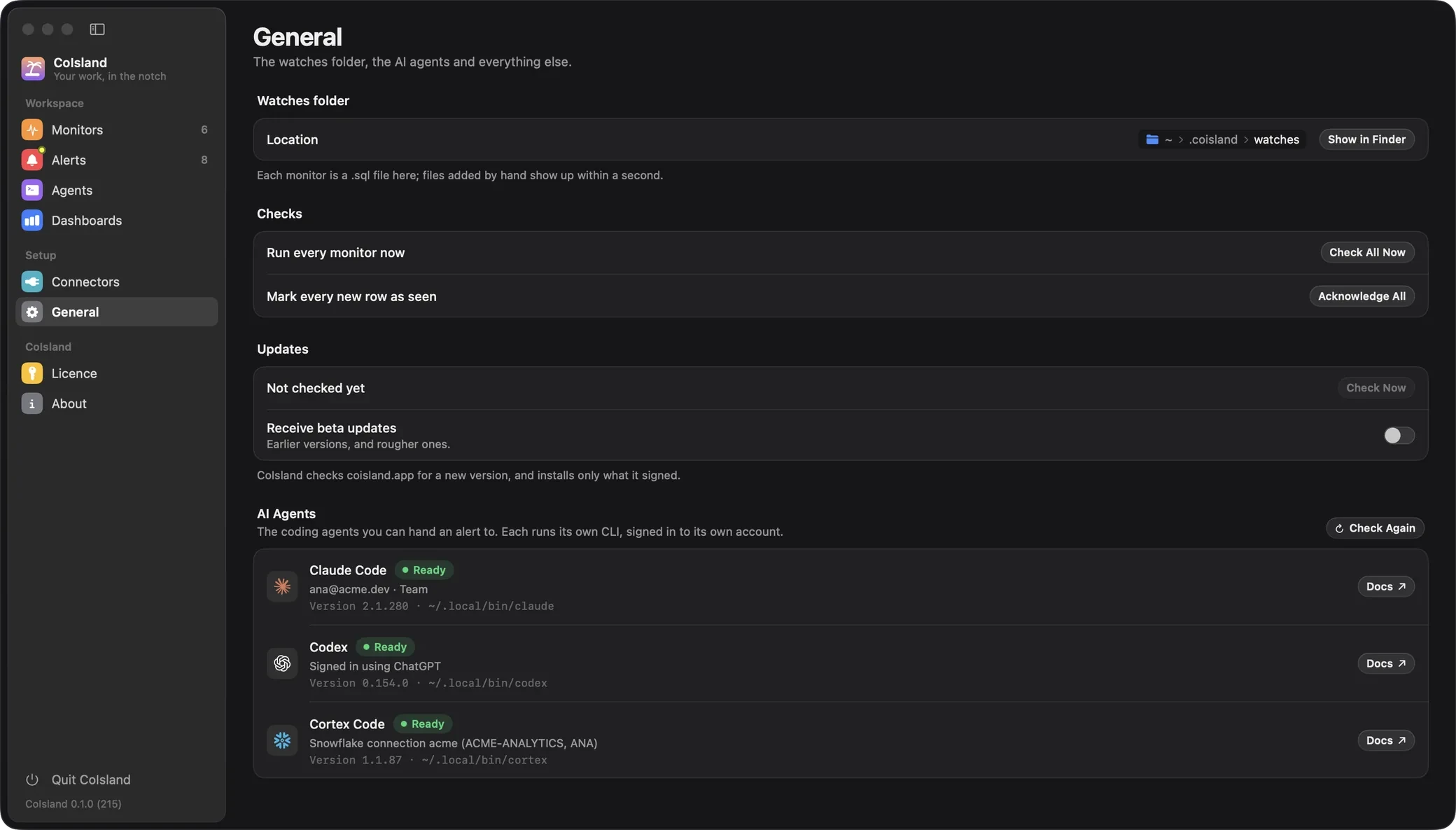
CoIsland reads one folder, ~/.coisland/watches. Settings › General shows it under Watches folder, with Show in Finder.

- What counts: visible
.sqlfiles at the top of the folder. Subfolders, hidden files and editor swap files are ignored. - When edits show up: CoIsland compares file names, sizes and modification dates every second, so a file you add, edit or delete shows up within a second, without a restart. A new file is checked at once.
- The file name is the monitor’s id. State and alerts are filed under it. A monitor created in Settings is named after its title: Big orders becomes
big-orders.sql, orbig-orders-2.sqlif taken. Renaming the file makes a new monitor; changing its-- name:line only renames it. - Deleting a monitor in Settings moves its file to the Trash.
The header and the body
The header is every line at the top that is blank or starts with --. The body starts at the first line that is neither.
-- name: Big orders
-- connector: acme
-- every: 15m
-- alert: new-rows
-- key: ORDER_ID
-- Orders over 10,000 placed in the last day.

SELECT order_id, customer, amount, placed_at
FROM analytics.sales.orders
WHERE amount > 10000
AND placed_at > DATEADD('hour', -24, CURRENT_TIMESTAMP())- A setting is
-- key: value: a key of letters and underscores, in any case, and the rest of the line as its value. A value never spans two lines. - Any other comment is a note, kept and written back when you save from Settings. A note shaped like a setting, such as
-- todo: narrow this, reads as an unknown key: the monitor runs and showsUnknown header key "todo" is ignored. - A key given twice shows
Header key "every" appears twice; the last one wins. - Order does not matter. The app writes
name,kind,connector,warehouse,database,schema,every,alert,key,title,sound,icon,role,timezone, your notes, a blank line, then the body.
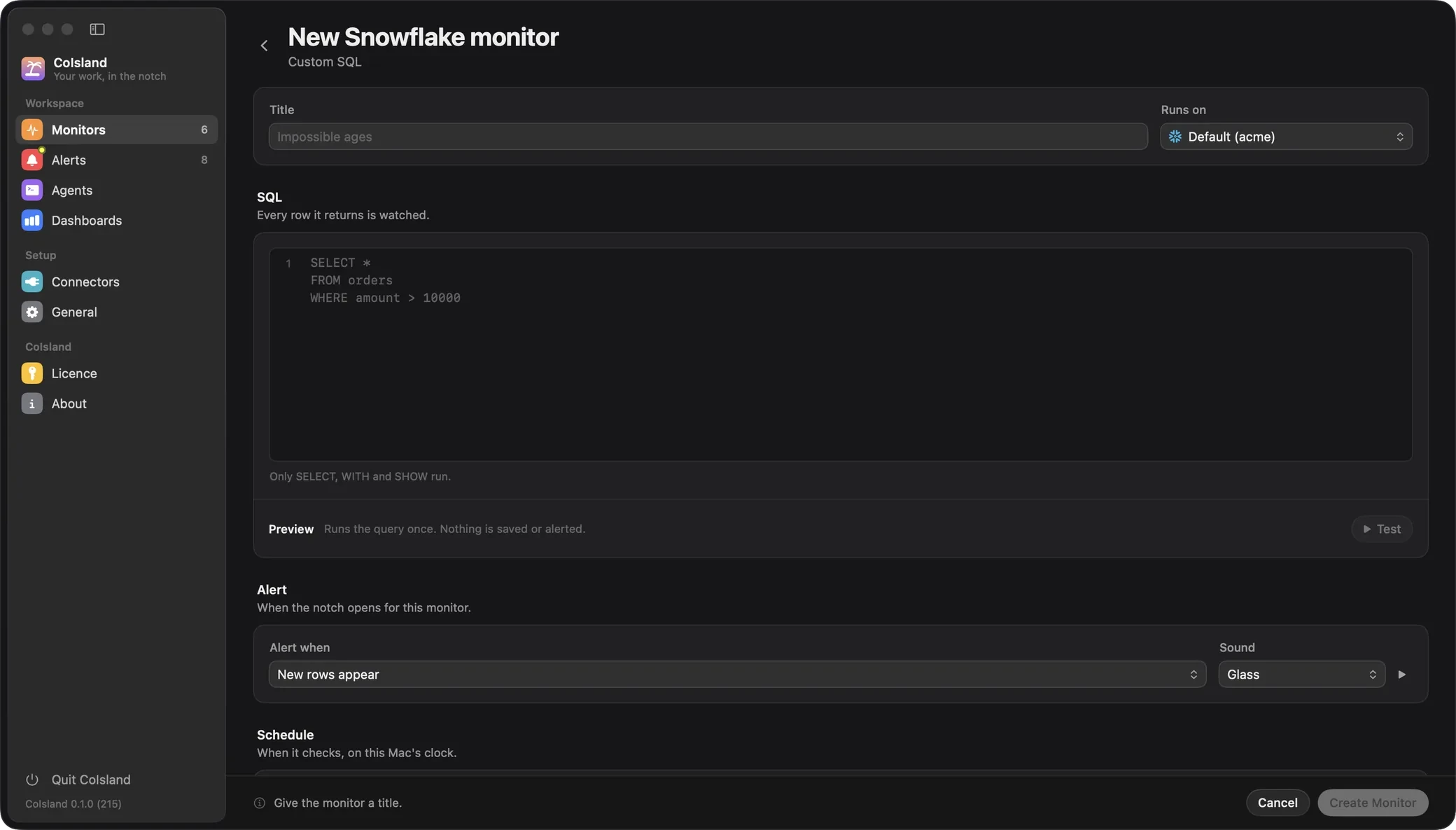
The monitor editor is a form over this file. Title is name, Runs on is connector (left at its default, it writes no line), and under Advanced, Row identity is key and Row line is title. Lines it has no field for, such as role and timezone, are kept.

Watch file header keys
| Key | What it sets | Default | Example |
|---|---|---|---|
name |
Name in the island, Settings and alerts | The file name, less .sql |
-- name: Failed tasks |
kind |
Connector type and body language | snowflake.custom-sql |
-- kind: jira.sla |
connector |
The connector, by name; connection is its older spelling |
That type’s default | -- connector: acme |
every |
A number and s, m or h, from 30s to 720h |
15m |
-- every: 5m |
alert |
new-rows, or count with >, >=, <, <=, = or != and a whole number |
new-rows |
-- alert: count > 0 |
key |
Columns that identify a row, comma-separated | Whole row (Snowflake), the kind’s id (GitHub, Jira) | -- key: ORDER_ID |
title |
A row’s line, with {COLUMN} placeholders |
First three columns | -- title: {NAME} failed |
sound |
A macOS sound, or none |
Glass |
-- sound: Submarine |
icon |
An SF Symbol for the island ring | The kind’s symbol | -- icon: cart |
warehouse, role, database, schema |
Snowflake session overrides | The connection’s | -- role: COISLAND_READER |
timezone |
An IANA zone: Snowflake’s session TIMEZONE, and how dates read |
Account (query), Mac (display) | -- timezone: America/Toronto |
- There is no
dunit: a day is24h.alertalso readsnew rows, and==as=. - A placeholder names a column in any case; one that matches no column stays as typed.
soundnames a file in~/Library/Sounds,/Library/Soundsor/System/Library/Sounds, such as Basso or Ping. An unknown name plays nothing.icontakes lower-case words and digits joined by dots, such aschart.line.uptrend.xyaxis; anything else is ignored with a warning.
When a value is wrong
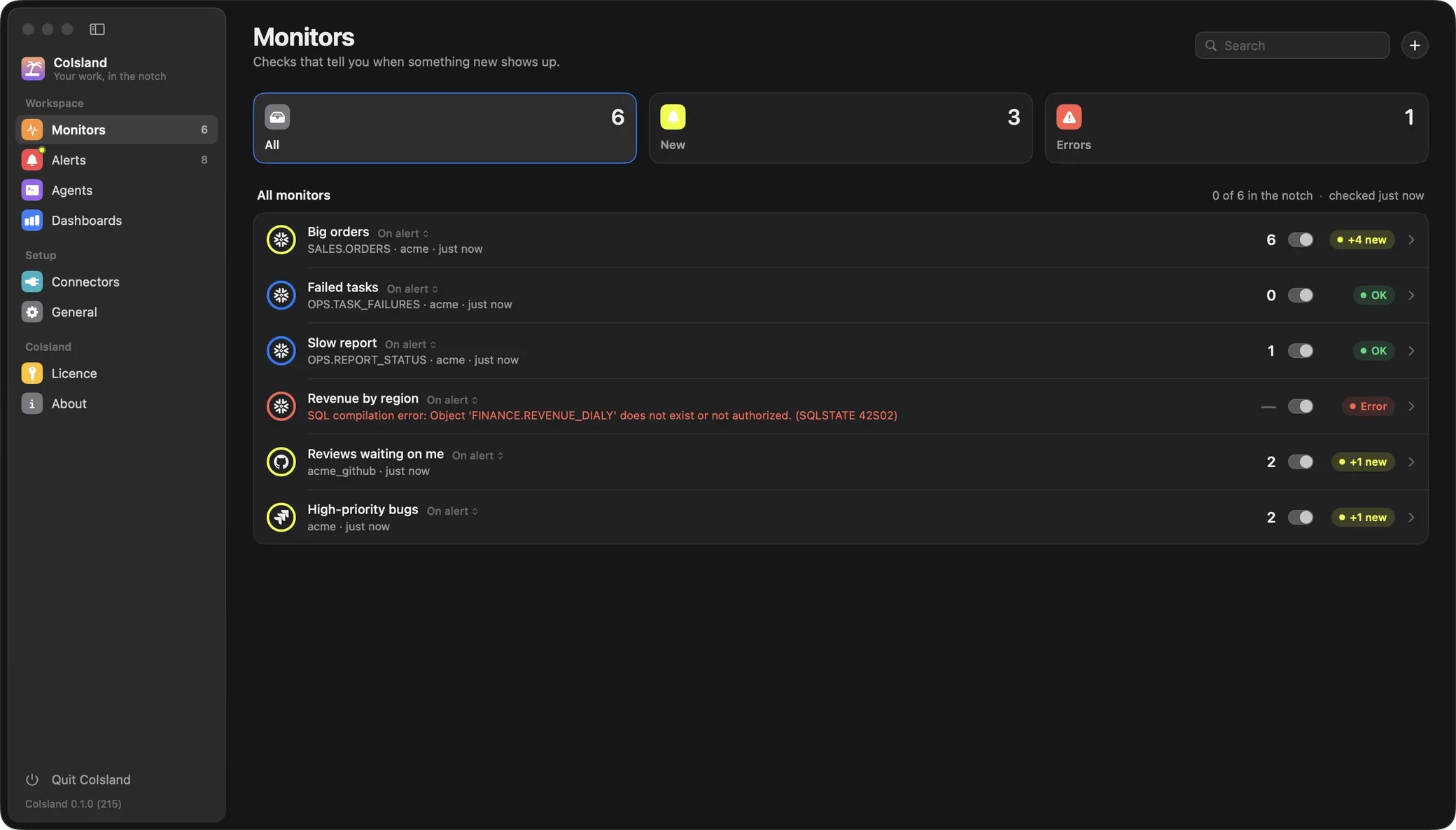
A bad value stops the monitor: it stays in Settings › Monitors under its file name, with the message, until you fix the file.
| In the file | CoIsland says |
|---|---|
-- every: 5 |
Invalid every "5": use a number followed by s, m or h, e.g. 5m |
-- every: 10s |
Invalid every "10s": the minimum is 30s |
-- alert: count above 5 |
Invalid alert "count above 5": use new-rows, or count followed by >, >=, <, <=, = or != and a number, e.g. count > 0 |
-- timezone: Toronto |
Invalid timezone "Toronto": not an IANA time zone such as America/Toronto |
| A header and no body | The file has no SQL after its header. |
A Snowflake body starting with DELETE |
Watches only run SELECT, WITH or SHOW; this one starts with DELETE. |
A key column missing from the result fails at the check: Key column ORDER_ID is not in the result. Columns: ID, AMOUNT. Errors from the tool itself, such as a SQL compilation error or refused JQL, show in the same place.
Monitor kinds and what the body holds
The kind line picks the connector type and the body’s language. A file without one is Snowflake SQL, so every other monitor needs its kind. Connector names are per type: a Snowflake connection and a Jira connector can both be called acme.
The sections below cover Snowflake, GitHub and Jira. Every other connector’s kinds, and a watch file for each, are in its setup guide, linked from the connectors page.
Snowflake
snowflake.custom-sql, the default, holds one SQL statement:
- It must start with
SELECT,WITHorSHOW. CoIsland reads the first word, past comments and parentheses, and refuses anything else before it reaches Snowflake. - One statement only: CoIsland sends no statement count, so Snowflake’s SQL API expects exactly one and rejects a second.
- The whole file runs, header included (comments are valid SQL), with the query tag
coisland:plus the monitor’s name, easy to find in query history. A check has two minutes and CoIsland reads up to 10,000 rows. - The Validation form writes a plain
SELECTand saves it as Custom SQL, with nokindline.
GitHub
| Kind | The body | Identified by |
|---|---|---|
github.issues |
An issue search: repo:acme/api is:issue is:open label:bug |
ID |
github.review-requests |
A search, is:pr added: user-review-requested:@me is:open |
ID |
github.workflow-runs |
repo:owner/name (repeatable), optional branch:, event:, workflow:, actor:, status: (default failure). Last 7 days |
ID, ATTEMPT |
github.releases |
repo:owner/name (repeatable), optional -is:prerelease. Last 30 days, never drafts |
ID |
github.security-alerts |
repo: or org:, optional tool:dependabot,code-scanning,secret-scanning and severity:critical,high. Open alerts |
SOURCE, REPO, NUMBER |
A search is compared only while it matches 100 items or fewer. Filter bodies are key:value words; an unknown one is refused with the list of valid ones.
Jira
| Kind | The body | Identified by |
|---|---|---|
jira.issues |
Any JQL | ID |
jira.status |
JQL; alerts each time an issue is in a new status | ID, STATUS |
jira.comments |
JQL for the issues whose new comments alert | COMMENT_ID |
jira.sla |
Service Management JQL with breached() or remaining("30m") |
ID |
jira.sprint |
Jira Software JQL, such as sprint in openSprints() |
ID |
Issues are keyed on their id, which survives a move to another project. In GitHub and Jira bodies every line is sent as the query, so keep notes in the header.
Columns for key and title
A Snowflake or Databricks SQL monitor’s columns are its query’s. Every other kind returns fixed ones; GitHub’s and Jira’s are:
github.issues: REPO, NUMBER, TITLE, TYPE, STATE, AUTHOR, LABELS, ASSIGNEES, CREATED, UPDATED, URL, ID.github.review-requests: REPO, NUMBER, TITLE, AUTHOR, DRAFT, CREATED, UPDATED, URL, ID.github.workflow-runs: REPO, WORKFLOW, TITLE, BRANCH, EVENT, CONCLUSION, RUN, ATTEMPT, ACTOR, SHA, CREATED, URL, ID.github.releases: REPO, TAG, NAME, PRERELEASE, AUTHOR, PUBLISHED, URL, ID.github.security-alerts: REPO, SEVERITY, SUMMARY, SOURCE, NUMBER, STATE, SUBJECT, IDENTIFIER, CREATED, URL.- Jira issue kinds: KEY, SUMMARY, STATUS, STATUS_CATEGORY, TYPE, PRIORITY, ASSIGNEE, REPORTER, PROJECT, CREATED, UPDATED, DUE, URL, ID, plus FROM_STATUS and CHANGED_AT for
jira.status, SPRINT forjira.sprint. jira.comments: KEY, AUTHOR, BODY, SUMMARY, CREATED, COMMENT_ID, ID, URL.
How the key decides what is new
With alert: new-rows, each check hashes every row’s key columns (all columns without a key) and keeps the hashes in state.json, never the values. A row alerts when its key was not in the previous complete check, and again if it leaves and comes back. The first check only records what matches: the silent baseline.
So a column that changes needs a key. Without one, a row is its values, and a check timestamp, a running total or a “minutes running” column makes every row new at every check. -- key: ORDER_ID keeps an order the same row when its amount is corrected.
- Count rules have no baseline:
count > 0fires on the first check if already true, then each time it becomes true again after clearing. - A new question starts over. Changing the body,
key,connector,role,database,schema,timezone,alertorkindchecks at once from a new baseline.name,title,sound,icon,everyandwarehousekeep it. - Only complete results count. Past 10,000 Snowflake rows or 100 GitHub search matches, nothing is compared:
More than the 10000 rows fetched match, so nothing is compared. Narrow the query. - Old Jira items are not news. A status change or comment dated over an hour before the previous check came back into the JQL, so it does not alert.
Examples: four complete watch files
Save each in ~/.coisland/watches with your own connector names, tables and projects.
Failed Snowflake tasks
-- name: Failed tasks
-- connector: acme
-- database: ANALYTICS
-- every: 5m
-- alert: new-rows
-- key: QUERY_ID
-- title: {NAME} failed: {ERROR_MESSAGE}
-- sound: Basso
-- icon: exclamationmark.triangle

SELECT query_id, name, schema_name, error_code, error_message, scheduled_time
FROM TABLE(INFORMATION_SCHEMA.TASK_HISTORY(
    SCHEDULED_TIME_RANGE_START => DATEADD('hour', -1, CURRENT_TIMESTAMP()),
    RESULT_LIMIT => 1000))
WHERE state IN ('FAILED', 'FAILED_AND_AUTO_SUSPENDED')
INFORMATION_SCHEMA belongs to the current database, hence the database line. The role must own the tasks, hold MONITOR or OPERATE on them, or hold MONITOR EXECUTION. Each run has its own QUERY_ID, so a task that fails again alerts again. The Snowflake alerts guide builds it step by step.
Big orders, with a title template
-- name: Big orders
-- connector: acme
-- warehouse: COISLAND_WH
-- every: 15m
-- alert: new-rows
-- key: ORDER_ID
-- title: #{ORDER_ID} {CUSTOMER} ${AMOUNT} ({REGION})
-- sound: Glass
-- icon: cart
-- timezone: America/Toronto

SELECT order_id, customer, amount, region, placed_at
FROM analytics.sales.orders
WHERE amount > 10000
  AND placed_at > DATEADD('hour', -24, CURRENT_TIMESTAMP())
Placeholders take the row’s values and the rest stays as written, so a row reads like #48213 Northwind $12500.00 (EMEA). For volume instead, use -- alert: count > 50 without the key.
Failed GitHub Actions runs
-- name: Failed deploys
-- kind: github.workflow-runs
-- connector: acme_github
-- every: 5m
-- alert: new-rows
-- title: {WORKFLOW} failed on {BRANCH}: {TITLE}
-- sound: Basso
-- icon: xmark.octagon

repo:acme/api branch:main workflow:deploy.yml
Failed runs of deploy.yml on main from the last 7 days. A run is its ID and ATTEMPT, so a re-run that fails again alerts again. The token needs read access to Actions (Connect GitHub).
Jira requests about to breach their SLA
-- name: SLA at risk
-- kind: jira.sla
-- connector: acme
-- every: 5m
-- alert: new-rows
-- title: {KEY} {SUMMARY} ({PRIORITY})
-- sound: Sosumi
-- icon: timer

project = HELP AND "Time to resolution" < remaining("30m") AND "Time to resolution" != breached()
It matches requests with under 30 minutes left, and != breached() leaves out those already past, as Atlassian’s SLA JQL documentation suggests. Use your service project’s SLA name (Connect Jira).
Monitoring as code: watch files in git
The folder is plain text, so git works on it directly:
cd ~/.coisland/watches
git init
git add *.sql
git commit -m "Our CoIsland monitors"
CoIsland ignores the hidden .git folder, a README.md and any subfolder. A teammate clones the repository into a missing or empty watches folder:
git clone git@github.com:acme/coisland-watches.git ~/.coisland/watches- No secrets inside. A file names its connector, never a credential. Every connector’s token, Snowflake’s included, lives in the login Keychain.
- Agree on connector names, or leave
connectorout so each Mac’s default runs the file. - Each Mac keeps its own state. Baselines, alerts and the check log live in
~/Library/Application Support/CoIsland/, so each teammate starts from their own baseline, with their own token and role. - A pull is an edit, picked up within a second. If that monitor is open in Settings, saving it is refused:
This monitor's file changed on disk since you opened it. Go back and open it again to see the change.
What monitors watch across connectors is on Monitors; how data teams share checks, on CoIsland for data teams.
Watch files: common questions
Can I create a monitor without the Settings window?
Yes. Save a .sql file with a body in ~/.coisland/watches: CoIsland checks it within a second, and that first check is its silent baseline. Getting started does the same from Settings.
Why does my monitor alert on the same rows at every check?
A column in those rows changes between checks and the file has no key. Add -- key: with the columns that identify a row.
Can a watch file change data in Snowflake?
CoIsland refuses any body that does not start with SELECT, WITH or SHOW before it reaches Snowflake, and sends one statement per check. The connector’s role decides what it can read: see Connect Snowflake for a read-only role.
Is it safe to commit watch files to git?
Yes: they hold connector names, never tokens. Check your SQL for literal values you would not share.
Stuck? Open an issue on GitHub, or write to hello@coisland.app.