

Contact CoIsland support
Report bugs in CoIsland's public GitHub issues, where you can follow the answer, and request connectors with their own form. Security reports, license questions and press go to hello@coisland.app. All of it is read by the people who build the app. No phone, no chat.
CoIsland help you can read right now
Most setup questions have a step-by-step answer here.
-
Getting started
From the download to a first connector, a first monitor and a first alert.
-
Connect Snowflake
A programmatic access token, a read-only role and a warehouse.
-
Connect GitHub
A read-only fine-grained token, on github.com, GHE.com or Enterprise Server.
-
Connect Jira
Jira Cloud or Data Center, with an API token or a personal access token.
-
Agents
Install and sign in Claude Code, Codex or Cortex Code, then hand one an alert.
-
Watch files
Snowflake monitors as plain .sql files in ~/.coisland/watches.
Where to reach CoIsland support
Bugs go to GitHub, and connector requests to their own form. The other two open your mail app with the subject filled in.
-
Report a bug
On GitHub. Something broke: include your versions and the exact error, as shown below.
-
Request a connector
Its own form: the tool, and what you would watch in it. One email when it ships.
-
Report a security issue
By email, never in a public issue: what it affects, how to reproduce it and what an attacker could do.
-
Licenses, press and the rest
By email. Who you are, what you need and by when. License questions from the address you paid with.
First check the connectors page: it lists every tool CoIsland watches today.
What to include in a bug report
CoIsland has no server and no account, so we see nothing of your setup: only what you write.
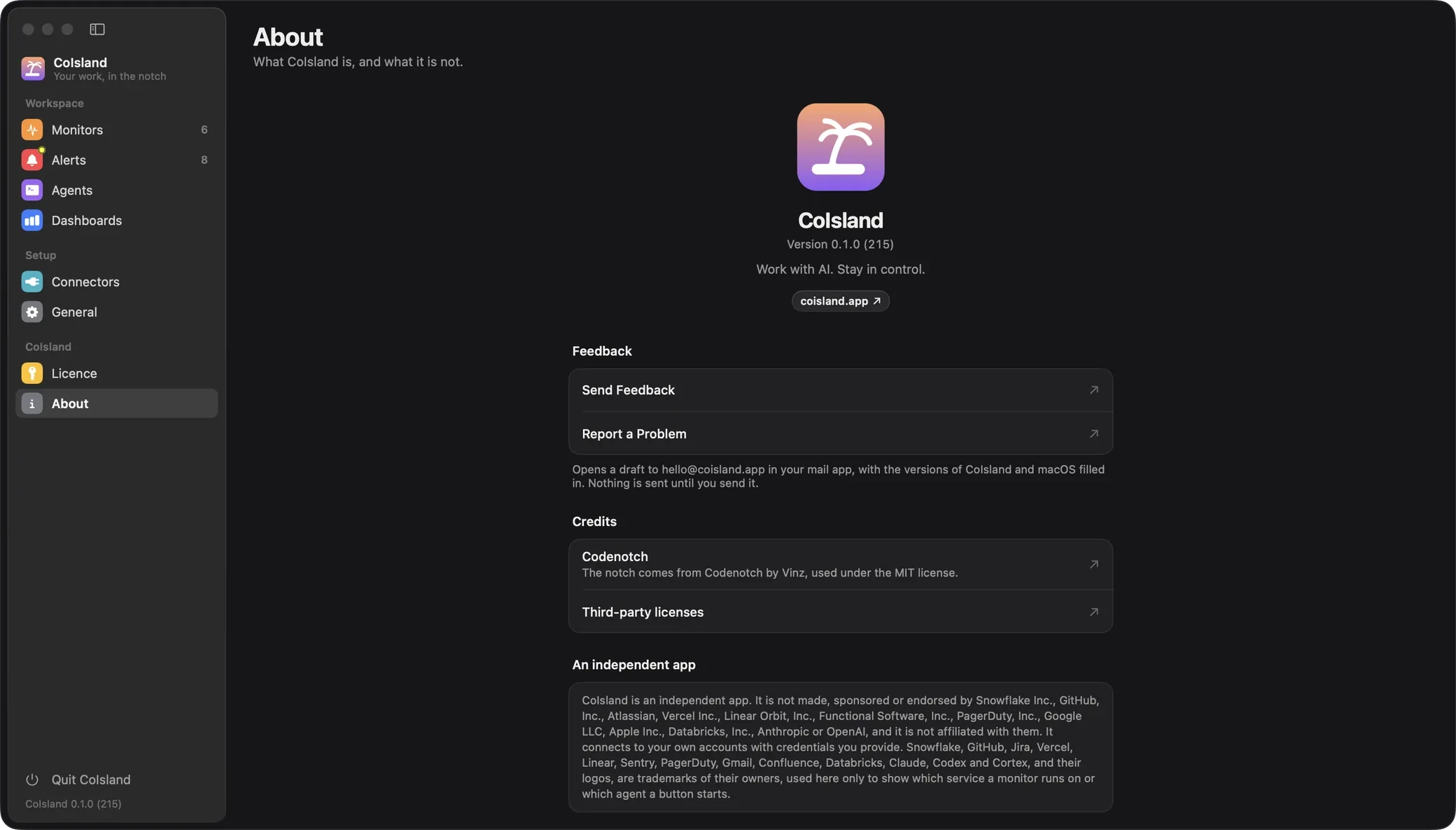
The quickest way: in CoIsland, open Settings › About and click Report on GitHub for a public issue, or Report a Problem for an email to us. Both come filled in with a diagnostic report: the versions, your connectors and monitors with their errors, and the checks that failed this week, never a token or a key. You read it, add what happened, and send it. Your AI can do the same with the coisland-support skill.
- Your macOS version, from Apple menu › About This Mac. CoIsland needs a Mac with Apple Silicon on macOS 14 or later.
- Your CoIsland version, from Settings › About, or at the bottom of the Settings sidebar.
- The connector: the tool, and where it runs when it can run in more than one place, such as GitHub on github.com, GHE.com or Enterprise Server, Jira Cloud or Data Center, or GitLab and Sentry in their cloud or on your own server. For an agent, its name and the version shown in General › AI Agents.
- The exact error, copied word for word.
- What you did, what you expected, and what happened instead.

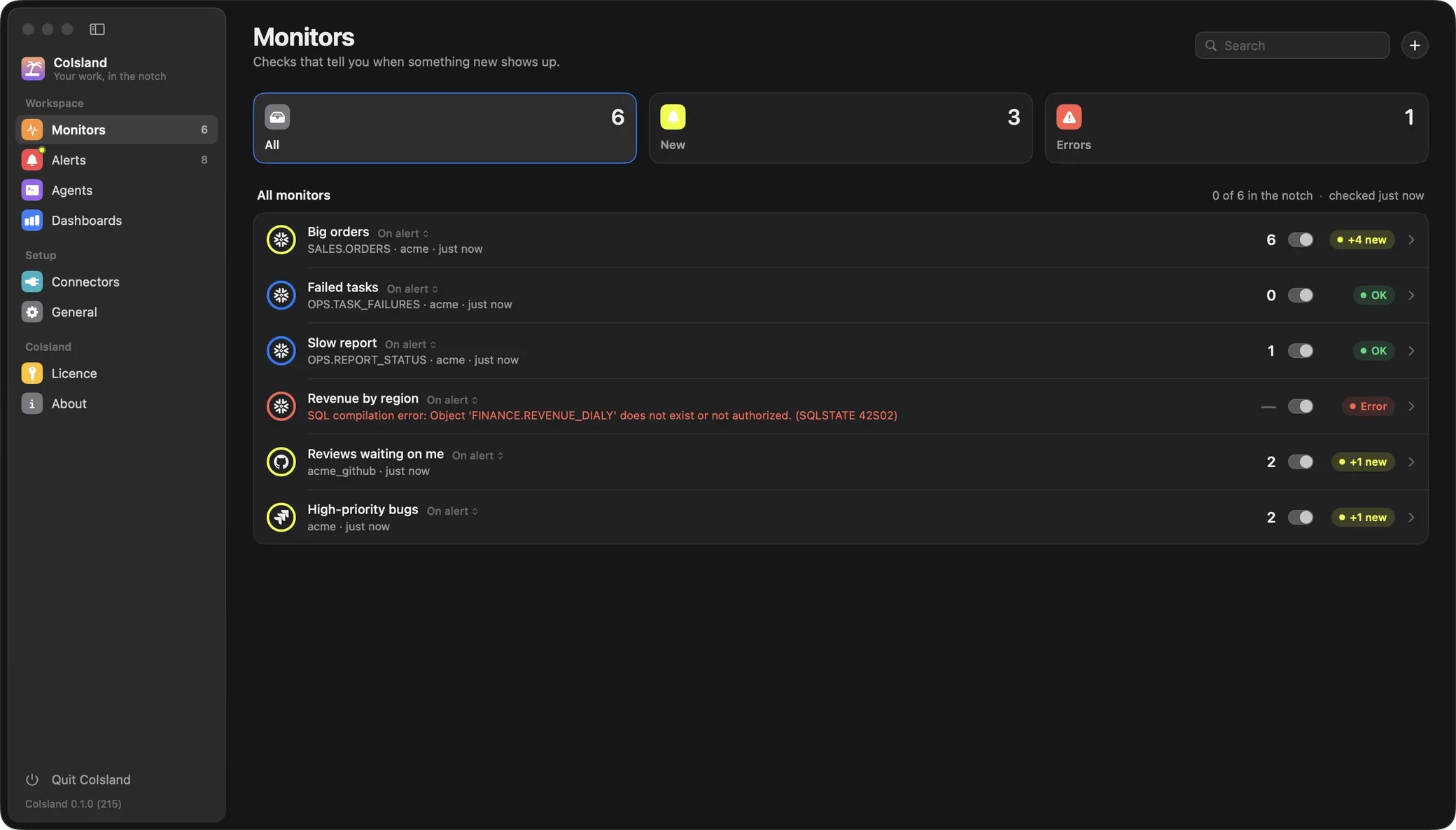
Copy the error as CoIsland shows it
A failing monitor shows its error in red in the Monitors list, cut short when it is long. Its page shows the whole message, and you can select it to copy it. A connector that fails its test shows Failed, with the message under Test connector.

A report like this one gets a useful first answer:
macOS: 15.6 (About This Mac)
CoIsland: 0.1.0 (Settings › About)
Connector: Snowflake
Monitor: Revenue by region, Custom SQL
Error, from the monitor's page:
  <the whole red message, as shown>
What I did: edited its query, saved
Expected: a check without an error
What never to send
GitHub issues are public, and an email is not a safe place either for secrets or your company's data.
- Tokens and secrets. No token, API key, app password, Snowflake programmatic access token, password or key. Every connector's secret stays in your login Keychain; we never need one to help.
- Your ~/.snowflake files. They hold your connections. Describe the connection in words instead.
- Customer data or rows from your warehouse. The query that fails helps; its results do not.
- Screenshots with private data. Crop or blur rows, issue titles and names first.
If a secret goes out by mistake, revoke it in the tool that issued it, then ask us to delete the message.
Contact and support questions
Is there a CoIsland support forum, chat or phone line?
Support is in CoIsland's public GitHub issues, for bugs, and by email at hello@coisland.app, for security and licenses. Connector requests have their own form. There is no forum, community chat or phone line.
Can you look at my monitors or alerts to see what went wrong?
No. CoIsland has no server, no account and no telemetry: the app talks only to your tools and sends us nothing. We know only what your email tells us, which is why the versions and the exact error matter.
How do I find which version of CoIsland I have?
Open Settings › About: it reads Version, then the number, such as 0.1.0. The bottom of the Settings sidebar shows it too, as CoIsland 0.1.0.
How do I ask for a connector for a tool CoIsland does not support yet?
Use the connector request form, also in CoIsland's tool picker: the tool, and what you would watch in it. You get one email when it ships. The connectors page lists what is available today; more connectors are on the way.
How do I report a security vulnerability in CoIsland?
Email hello@coisland.app with Security in the subject, never a public GitHub issue: what it affects, the steps to reproduce it and its impact. Use test credentials, never live ones, and keep the details private until a fix ships.
Where do license and purchase questions go?
To the same address, from the email you paid with. CoIsland Community is free for good and monitors all your agents, plus 2 monitors on your dev tools; Lifetime runs every monitor, paid once, from $29, each key for up to 2 Macs. Your key is in the email from licences@coisland.app.
Work with AI. Stay in control.
CoIsland Community is free, for good. Lifetime from $29, paid once. Native for Apple Silicon, macOS 14 and later.