For engineering teams: PRs and CI in the notch
Engineering teams lose time to review queues, red builds and security alerts spread across tools. CoIsland watches GitHub and the rest of your tools and puts what needs you in your Mac's notch.
What goes wrong
-
Reviews wait
A review request sits in an inbox you rarely open while its author waits on you.
-
Main goes red
GitHub tells whoever triggered the run. A teammate's broken main waits for the next person to look.
-
Security alerts pile up
Critical Dependabot and code scanning alerts wait on a tab nobody opens.
What CoIsland watches
One monitor per question, in each tool's own language, reporting to the notch.
How engineering teams use CoIsland: one day in the notch
Your GitHub email, a Slack channel of bot posts and a Jira board each hold a part of what needs you today. CoIsland runs one monitor per question on your Mac and turns what changed into an alert in the notch: the monitor’s ring turns yellow, a sound plays, and its card lists the new pull request, run or issue. Here is one day of it, with the search or JQL behind each monitor.
9:00, the review queue
A Review requests monitor runs a GitHub search limited to pull requests (CoIsland adds is:pr for you). Two searches cover most teams: what you were asked to review yourself, and what your team was asked to review. draft:false leaves out drafts, which are not ready for review yet.
user-review-requested:@me is:open draft:false
team-review-requested:acme/platform is:open
The first check is a baseline and raises nothing, so the requests already open stay quiet. After that, each new request alerts once; if the author asks you again after your review, it alerts again. Keep the search narrow: only a result of 100 matches or fewer is compared.
Every monitor, GitHub and Jira ones included, is a small file in ~/.coisland/watches, written by the editor or by hand:
-- name: Reviews waiting on me
-- kind: github.review-requests
-- connector: acme_github
-- every: 10m
-- alert: new-rows
-- sound: Glass

user-review-requested:@me is:open draft:false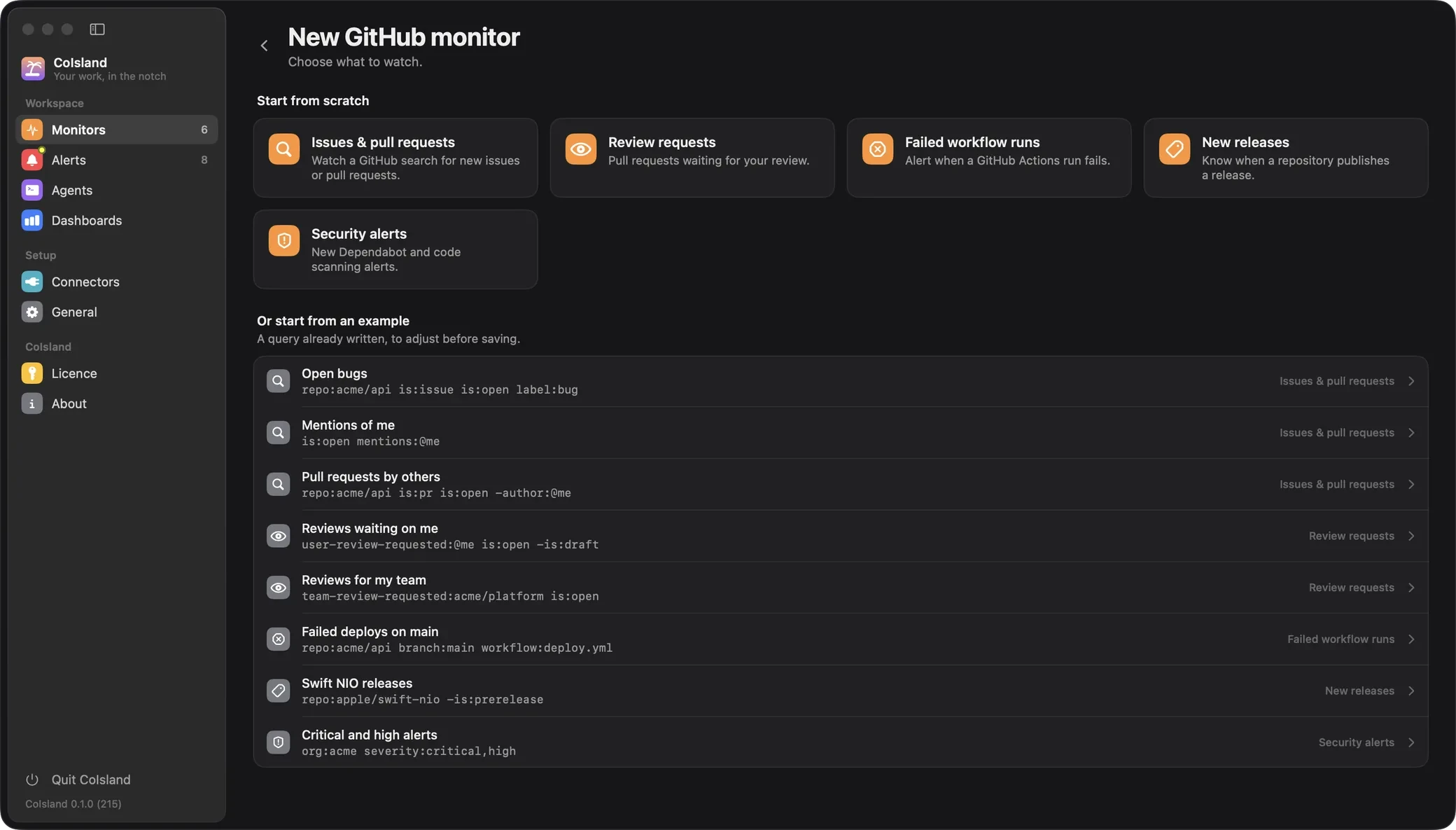
10:40, main goes red
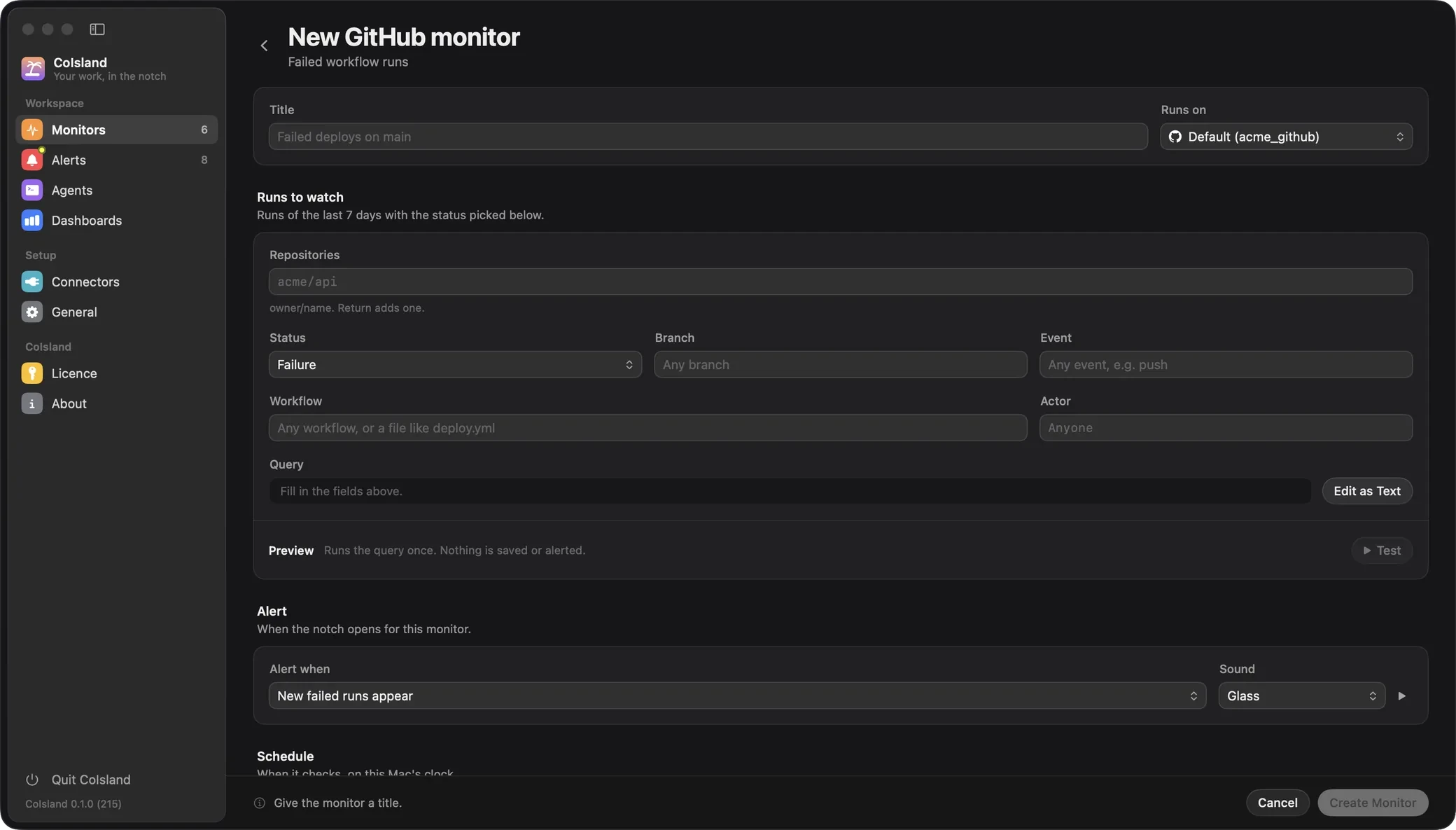
GitHub notifies you when a run you triggered completes. A teammate’s merge that breaks main, or a deploy that fails, reaches whoever looks next. A Failed workflow runs monitor watches the repositories you name, whoever started the run:
repo:acme/api repo:acme/web branch:main
repo:acme/api workflow:deploy.yml
The first line alerts on any failed run on main in two repositories; the second on the deploy workflow, on any branch. event:, actor: and status: narrow it further (status: is failure unless you pick another, such as timed_out). It reads runs of the last 7 days, and a re-run that fails again alerts again. These key:value filters are CoIsland’s own, turned into GitHub API calls; only review requests and issues are GitHub searches.
13:00, a critical Dependabot alert
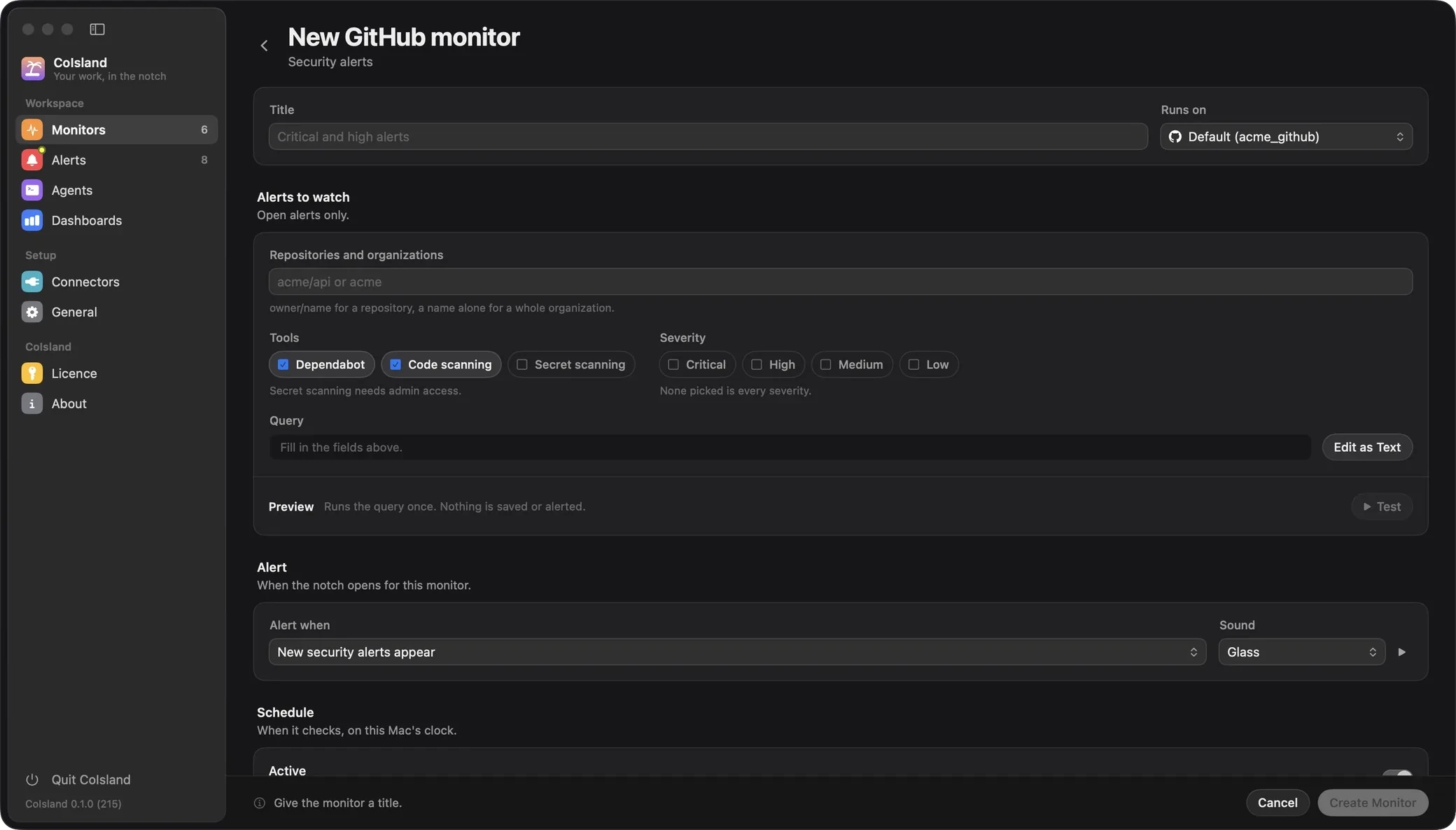
A Security alerts monitor lists the open alerts of repositories or a whole organization, filtered by severity, so a critical one reaches you at the next check:
org:acme severity:critical,high
repo:acme/api tool:dependabot,code-scanning,secret-scanning
Without tool: it asks for Dependabot and code scanning. Secret scanning is asked for only by name, because GitHub lists those alerts only to administrators, and the secret itself is never fetched. For org:, GitHub requires an organization owner or security manager. A fixed or dismissed alert leaves the result.
15:30, a dependency ships a release
A New releases monitor tells you when a project you depend on publishes a release, so the upgrade starts on your schedule:
repo:apple/swift-nio -is:prereleaseIt reads releases published in the last 30 days. Drafts never count, and -is:prerelease leaves pre-releases out.
16:00, Jira bugs assigned to you, and a sprint that grows
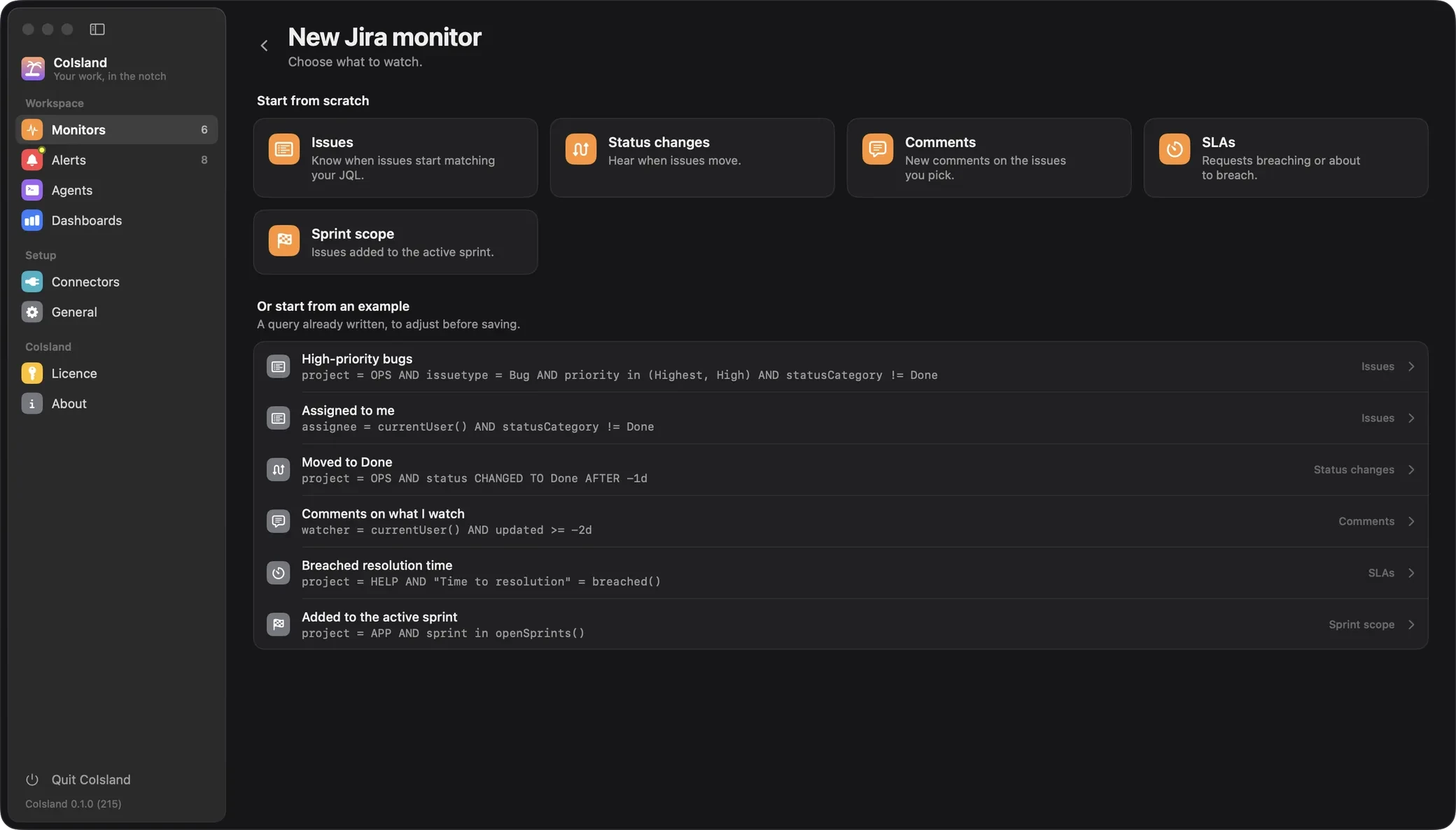
The Jira connector works with Jira Cloud (email and API token) and Data Center (personal access token). An Issues monitor alerts when an issue starts matching your JQL, so a bug assigned to you after lunch reaches you at the next check, not at tomorrow’s stand-up:
assignee = currentUser() AND issuetype = Bug AND statusCategory != DoneA Sprint scope monitor alerts when an issue joins the active sprint:
project = APP AND sprint in openSprints()Prefer one alert when the sprint passes a size? Set the rule to count > 40: it fires once, when it becomes true.
Friday, see what fires most
Dashboards show the last 24 hours, 7 or 30 days: alerts raised, actionability (the share someone acknowledged or resolved), median time to acknowledge and resolve, and the noisiest monitors. One that fires all day and is never acknowledged needs a narrower search.
Hand a failed GitHub Actions run to Claude Code or Codex
On the alert, click Claude, Codex or Cortex. CoIsland opens that agent’s own CLI in a terminal under the alert, signed in with your account. Its first message is the whole alert: the monitor and its rule, the query, the run as GitHub has it (repository, workflow, branch, commit, event, attempt, link) and the alert’s activity. The agent is told to treat it as data, sum it up and ask what you want.
It starts in the mode that asks before acting, with these flags:
claude --permission-mode manual
codex --sandbox read-only --ask-for-approval on-request
Ask it to read the failed steps, for example with GitHub CLI:
gh run view <run-id> --log-failedThat command reaches GitHub, so both agents ask before running it. Then it explains what broke and proposes a fix. It works in CoIsland’s own folder, ~/.coisland/agents: point it at your clone if you want the patch written, and every edit waits for your yes.
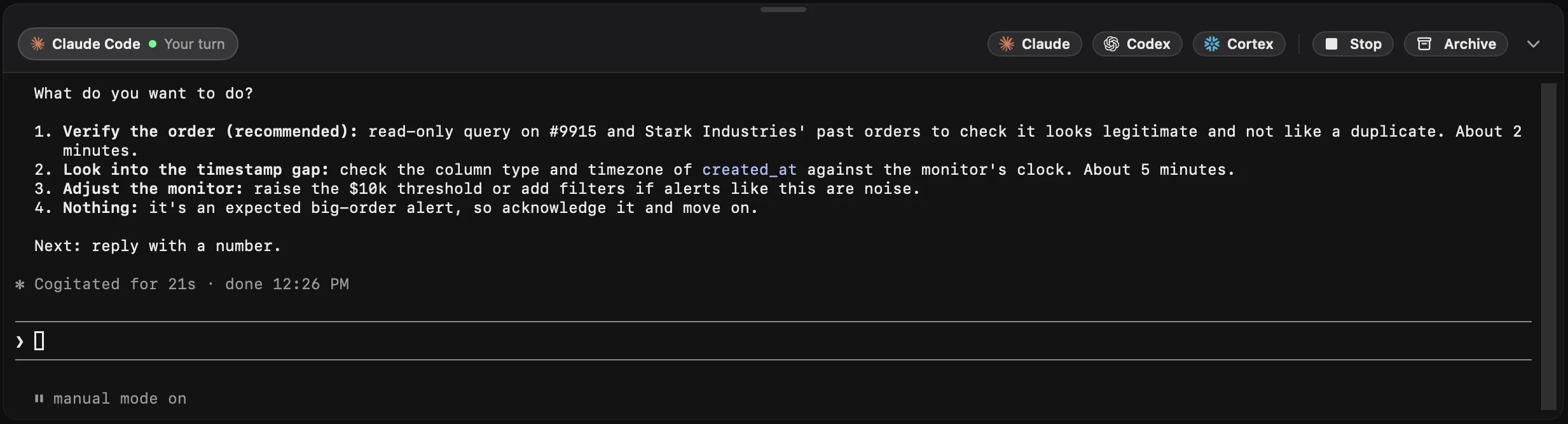
The Agents section keeps each session to resume, stop or archive. More on agents.
Keep GitHub notifications and Slack, add the notch
CoIsland does not replace what you already have:
- GitHub notifications keep the full record on the web, by email and in GitHub Mobile. For Actions, they cover the runs you triggered, and can be limited to failed ones.
- GitHub in Slack posts workflow runs to a channel with
/github subscribe owner/repo workflows, and its scheduled reminders list the pull requests waiting on you or your team. - CoIsland alerts on any run you pick, whoever started it, on each new review request and security alert, and on Jira in the same notch, with an agent one click away.
Keep them, and put the few things you act on in the notch. CoIsland calls GitHub’s and Jira’s APIs from your Mac, with no CoIsland server or account. Next: Connect GitHub, the GitHub connector, the Actions failure guide, the GitHub notifications comparison, and data teams or every use case.
Then an agent takes it
Hand a failed run or a security alert to Claude Code, Codex or Cortex Code. The agent gets the whole alert, sums it up and asks before it changes anything.
-
Claude Code
Anthropic's coding agent, in its own CLI.
-
Codex
OpenAI's coding agent, in its own CLI.
-
Cortex Code
Snowflake's coding agent, in its own CLI.
Questions
How do I get GitHub Actions failure notifications on my Mac?
Add a Failed workflow runs monitor with the repositories to watch, and optionally a branch such as main or a workflow file such as deploy.yml. It alerts on every failed run, whoever started it, and again when a re-run fails. GitHub's own notifications cover the runs you triggered.
Can CoIsland remind me about pull requests waiting for my review?
Yes. A Review requests monitor runs a GitHub search such as user-review-requested:@me is:open draft:false and alerts once per new request. When the author asks you again after your review, the request comes back and alerts again.
Does CoIsland need write access to our repositories?
No. The GitHub connector uses a read-only fine-grained token with Issues, Pull requests, Actions and Contents, plus the alert permissions you need, such as Dependabot alerts and Code scanning alerts. The token stays in the macOS Keychain.
Can I watch Dependabot alerts for a whole GitHub organization?
Yes, with org:acme in a Security alerts monitor, filtered by severity. GitHub lets organization owners and security managers list an organization's alerts; if you are neither, list the repositories instead.
How do I see the Jira bugs assigned to me without opening Jira?
Add a Jira Issues monitor with assignee = currentUser() AND issuetype = Bug AND statusCategory != Done. Each bug alerts when it starts matching. It works with Jira Cloud (email and API token) and Data Center (personal access token).
Should we turn off GitHub notifications or the GitHub app in Slack?
No. Keep them for the full record and the team channel. CoIsland only alerts on what your monitors ask, and talks to each tool's API directly from your Mac, with no CoIsland server or account.
Does it work with GitHub Enterprise?
Yes. The GitHub connector takes github.com, a GitHub Enterprise Server host (its API at /api/v3) or a GHE.com address.
Can an AI agent fix a failed build on its own?
No. Claude Code starts in Manual mode and Codex in a read-only sandbox that asks on request, so every edit waits for your yes. The agent explains the failure and proposes a fix; you decide what happens.
Other teams
-
Data teams
For data teams who own a warehouse: failed tasks, rows that break a rule and tables that stop loading reach your Mac's notch first, next to the pull request and the ticket.
Put your work stack in the notch
Regular price: $59.99 Early bird price: $19.99 once, for 2 Macs. Native for Apple Silicon, macOS 14 and later.
Early bird price until October 25