Connect Snowflake
Monitor Snowflake with read-only SQL.
- You need
- Programmatic access token Snowsight › Governance & security › Users & roles
- The form asks
-
- Account identifier
- User
- Connector name
- Programmatic access token
- Role
- Warehouse
- Database and schema (optional)
- You can watch
-
- Custom SQL
- Validation
- Access
- SELECT, WITH or SHOW; anything else is refused before it is sent
On this page
To connect Snowflake to CoIsland you need an account identifier, a user, a programmatic access token (PAT) for that user, a role and a warehouse. CoIsland sends each monitor’s SQL to Snowflake’s SQL API with that token, straight from your Mac, with no CoIsland server in between. Here is every step, from a read-only role to your first alert.
Before you connect Snowflake
Have these ready, or ask your Snowflake administrator for them:
- A role that can read what you watch. CoIsland runs only
SELECT,WITHandSHOW; the role decides what those can see. - A warehouse. Each check can wake it. An X-Small one with a short auto-suspend keeps checks cheap: at the default of one check every 15 minutes, it suspends between them.
- A user allowed to use a token. Snowflake’s rules for programmatic access tokens:
- Your own user needs no special privilege to generate one. For another user, you need OWNERSHIP or MODIFY PROGRAMMATIC AUTHENTICATION METHODS on it.
- By default, a person can generate a token without a network policy, but can only sign in with it when a network policy applies to the user or the account. An administrator can relax this with an authentication policy whose
PAT_POLICYsetsNETWORK_POLICY_EVALUATION = ENFORCED_NOT_REQUIRED. - A token expires after 15 days unless you choose otherwise, 365 days at most. Its role restriction and expiry cannot be changed later, and a user holds 15 tokens at most.
To see whether a network policy applies, run both lines and read the value column:
SHOW PARAMETERS LIKE 'network_policy' IN ACCOUNT;
SHOW PARAMETERS LIKE 'network_policy' IN USER jdoe;
Set up a read-only role and warehouse
Run this once with a role that can create warehouses and roles and grant on your data, such as ACCOUNTADMIN. Replace analytics.sales with the schema you want to watch and jdoe with your user.
-- A small warehouse for checks
CREATE WAREHOUSE IF NOT EXISTS coisland_wh
  WAREHOUSE_SIZE = 'XSMALL'
  AUTO_SUSPEND = 60
  AUTO_RESUME = TRUE
  INITIALLY_SUSPENDED = TRUE;

-- A role that can only read
CREATE ROLE IF NOT EXISTS coisland_reader;
GRANT USAGE ON WAREHOUSE coisland_wh TO ROLE coisland_reader;
GRANT USAGE ON DATABASE analytics TO ROLE coisland_reader;
GRANT USAGE ON SCHEMA analytics.sales TO ROLE coisland_reader;
GRANT SELECT ON ALL TABLES IN SCHEMA analytics.sales TO ROLE coisland_reader;
GRANT SELECT ON ALL VIEWS IN SCHEMA analytics.sales TO ROLE coisland_reader;
GRANT SELECT ON FUTURE TABLES IN SCHEMA analytics.sales TO ROLE coisland_reader;

-- The user the token belongs to
GRANT ROLE coisland_reader TO USER jdoe;
Future grants need the MANAGE GRANTS privilege, which ACCOUNTADMIN and SECURITYADMIN have. To watch failed tasks as well, add GRANT MONITOR EXECUTION ON ACCOUNT TO ROLE coisland_reader; so the role can read the history of every task.
Create a programmatic access token
This is the Snowflake PAT setup itself. Do it in Snowsight or with SQL.
In Snowsight
- Sign in to Snowsight and select Governance & security › Users & roles.
- Select your user.
- Under Programmatic access tokens, select Generate new token.
- Give it a name (letters, digits and underscores, such as
COISLAND) and a comment. - Choose how many days until it expires.
- Choose One specific role (recommended) and pick
COISLAND_READER. - Select Generate, then copy or download the token. Snowflake never shows it again.
With SQL
Signed in as yourself, this creates the same token and returns it in the token_secret column, the only place it ever appears:
ALTER USER ADD PROGRAMMATIC ACCESS TOKEN coisland
  ROLE_RESTRICTION = 'COISLAND_READER'
  DAYS_TO_EXPIRY = 90
  COMMENT = 'CoIsland monitors on my Mac';
A token restricted to one role signs in with that role only, so every check CoIsland runs is bounded by what COISLAND_READER can read.
Add the Snowflake connector in CoIsland
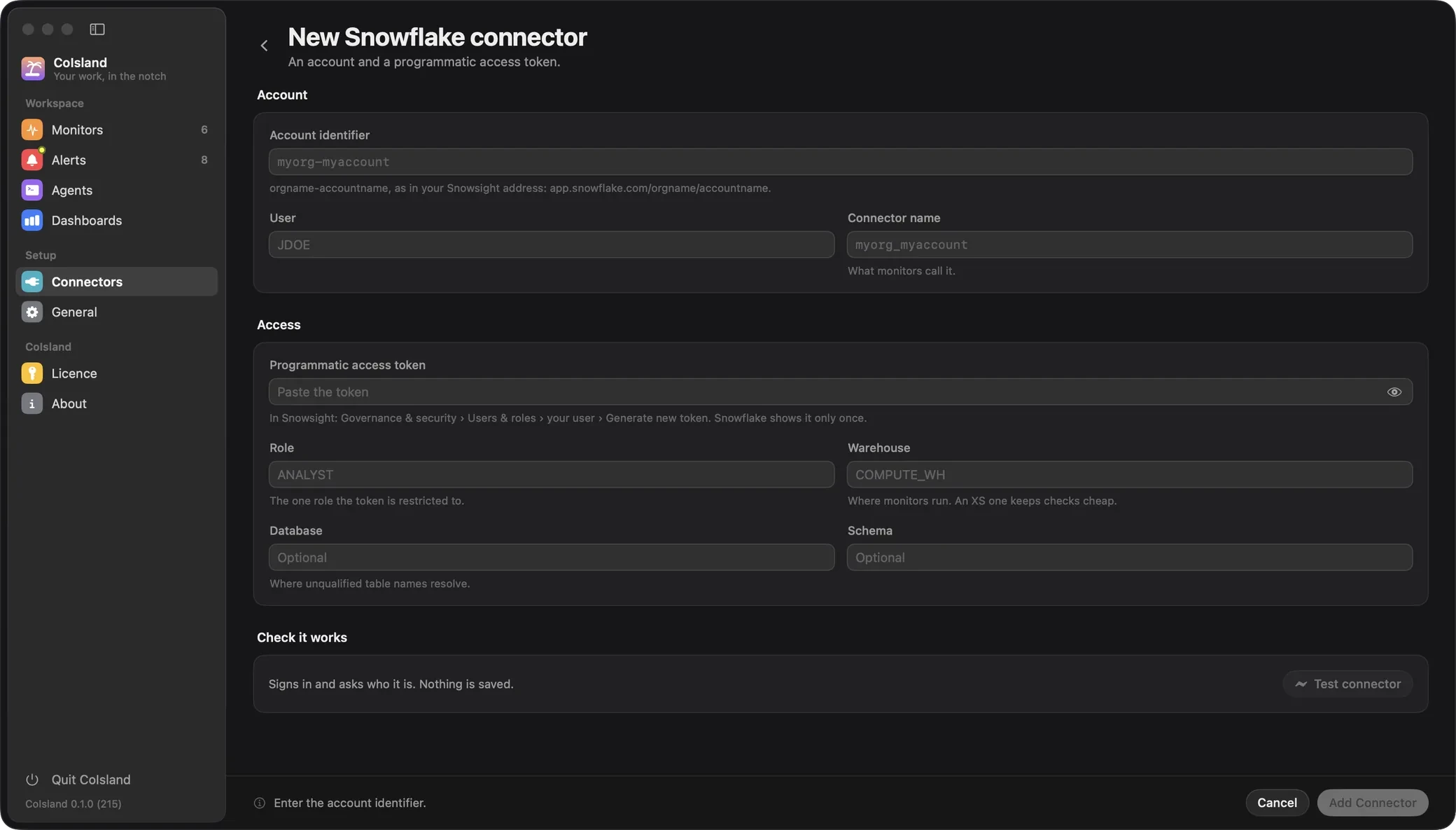
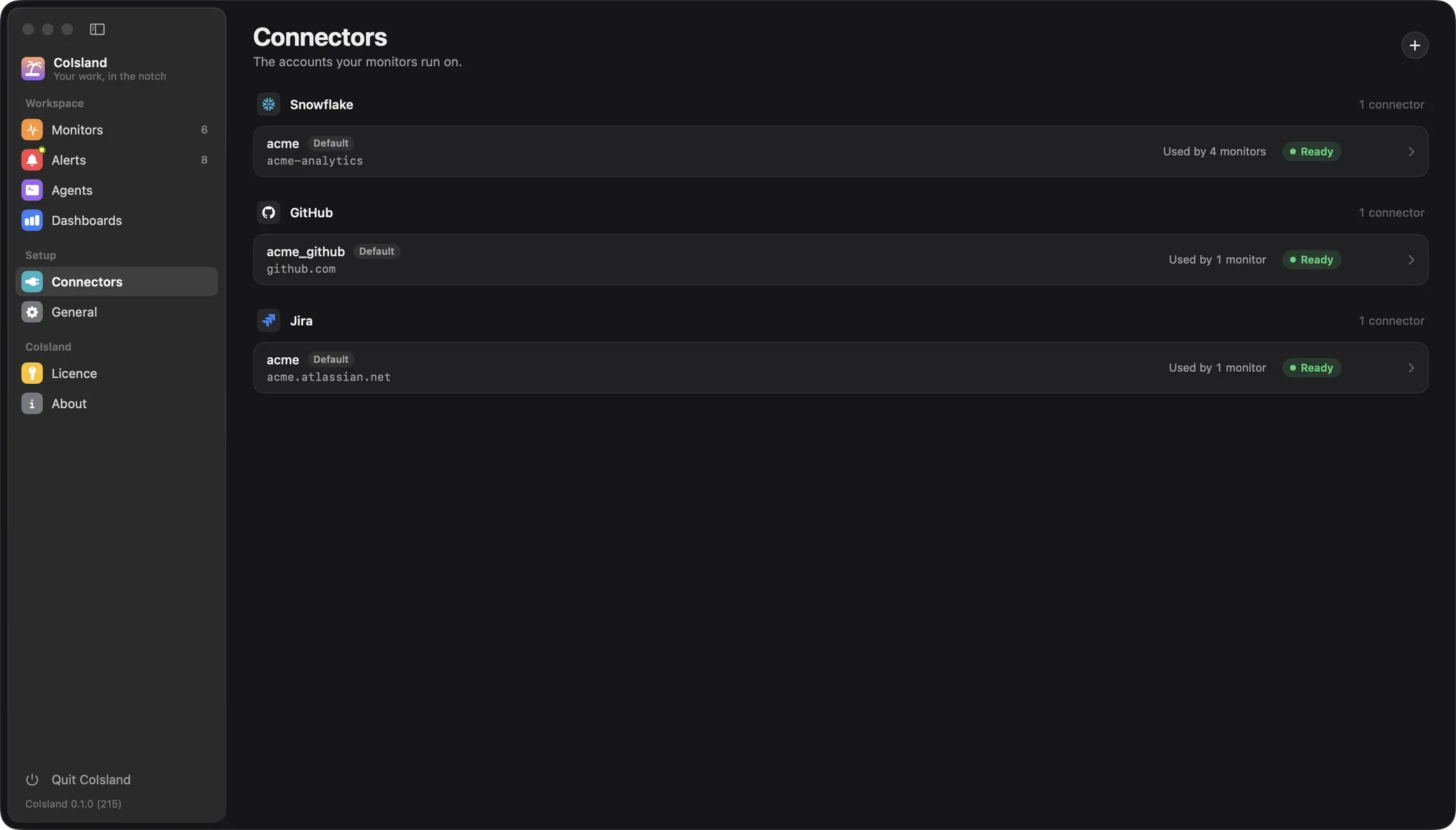
Open Settings › Connectors, click + (Add Connector) and choose Snowflake. Fill in the form:
- Account identifier:
orgname-accountname, as in your Snowsight addressapp.snowflake.com/orgname/accountname. Snowsight also shows it under the account selector, View account details. - User: the Snowflake user the token belongs to, such as
JDOE. - Connector name: what monitors call it. CoIsland suggests one from the account (
myorg-myaccountgivesmyorg_myaccount): letters, digits,_and-, starting with a letter. - Programmatic access token: the token you copied, with no spaces or line breaks.
- Role: the role the token is restricted to,
COISLAND_READER. - Warehouse: where monitors run,
COISLAND_WH. - Database and Schema (optional): where a monitor’s unqualified table names resolve, such as
ANALYTICSandSALES. A monitor can set its own.
Already use the Snowflake CLI or Cortex Code? Import from Snowflake CLI, at the top of the form, fills every field, the token included, from one of your connections (see Import from the Snowflake CLI).
Click Test connector: CoIsland signs in, asks Snowflake for CURRENT_USER(), CURRENT_ROLE() and CURRENT_WAREHOUSE(), and shows Connected with the answer or Failed with Snowflake’s reason. Nothing is saved until Add Connector.

Where CoIsland saves it
Add Connector keeps the connector’s name, account, user, role, warehouse, database and schema in ~/Library/Application Support/CoIsland/connectors.json, and the token in your login Keychain, never in a file: the same place as every other connector. The first Snowflake connector becomes the default: a monitor that names no connector runs on it.
CoIsland never writes to ~/.snowflake. A connector added, edited or deleted in CoIsland does not change what the Snowflake CLI and Cortex Code see, and theirs do not change CoIsland’s.
Import from the Snowflake CLI
If you use the Snowflake CLI or Cortex Code, CoIsland brings your connections in, reading ~/.snowflake (or $SNOWFLAKE_HOME) and never writing to it:
- Once, the first time CoIsland starts with no Snowflake connector of its own, it copies every connection that signs in with a programmatic access token, under the same name, with its token (from
token,token_file_pathorpassword), role, warehouse, database and schema. The Snowflake CLI’s default connection (default_connection_nameinconfig.toml) becomes CoIsland’s default. Monitors that name those connections run on them unchanged. It does not run again, so a connector you delete later stays deleted. - Any time after, Import from Snowflake CLI in the Snowflake form lists the connections CoIsland does not have yet. Choosing one fills the form, the token included; Test connector and Add Connector then work as for typed values.
Without a connections.toml, CoIsland reads the [connections.*] tables of config.toml, as the Snowflake CLI does; the two are never merged. A connection can be imported when it signs in with a programmatic access token:
[analytics_prod]
account = "myorg-myaccount"
user = "JDOE"
authenticator = "PROGRAMMATIC_ACCESS_TOKEN"
token_file_path = "/Users/jdoe/.snowflake/analytics_prod.token"
role = "COISLAND_READER"
warehouse = "COISLAND_WH"
database = "ANALYTICS"
schema = "SALES"- CoIsland reads
account(orhost),user,authenticator,token,token_file_pathorpassword,role,warehouse,databaseandschema. - Connections that use single sign-on (
externalbrowser), a key pair (SNOWFLAKE_JWT) or a password are not imported: the form names them under Import from Snowflake CLI. Add a token connector next to them. - Cortex Code’s own setup puts the token in
passwordwith noauthenticatorline. CoIsland reads that as a password connection: add the connector from the form with the same token. - A token renewed later with the Snowflake CLI is not picked up: paste it into the connector (Update Token).

Write your first Snowflake monitor
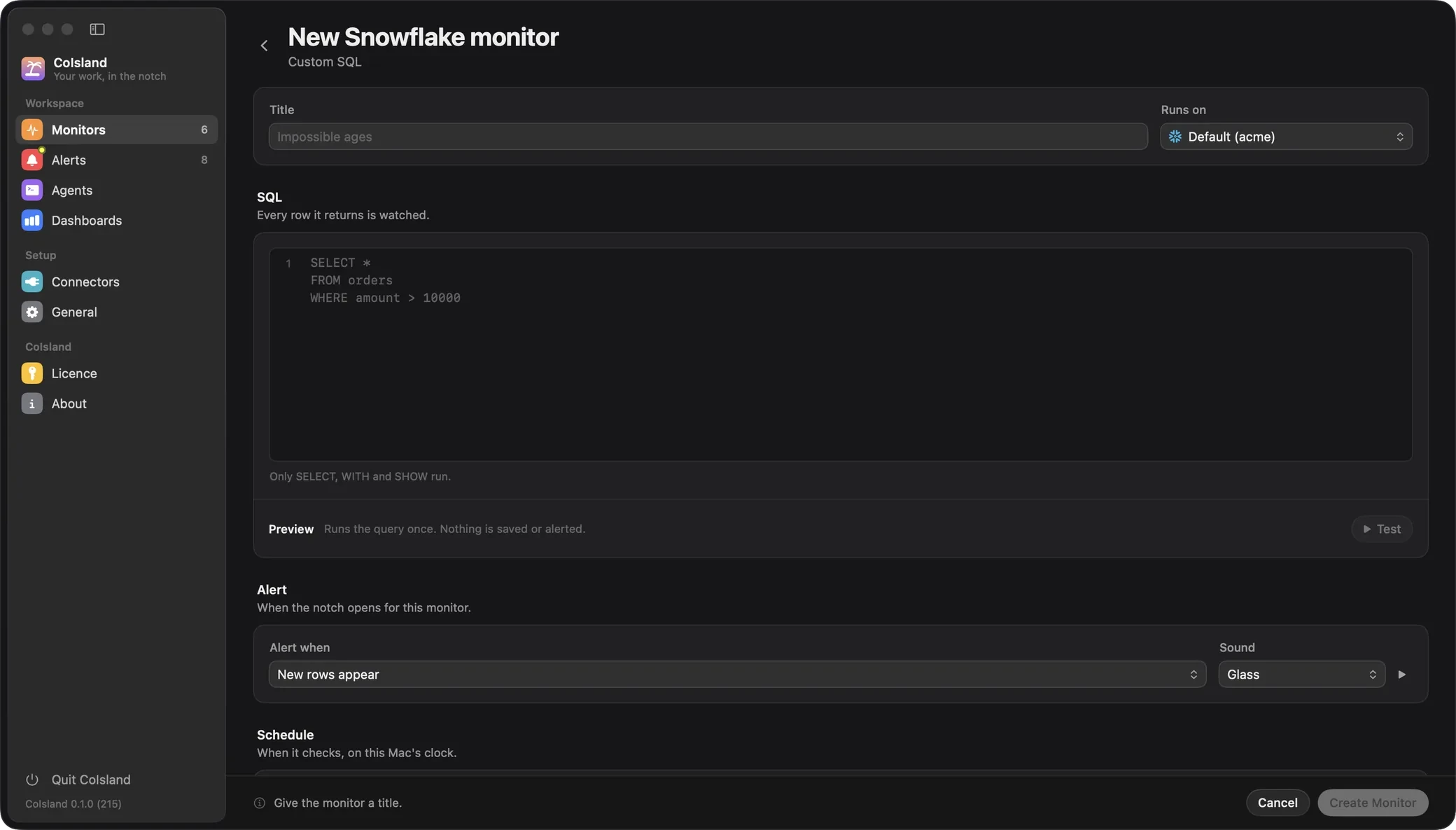
Open Settings › Monitors, click + (New Monitor), then choose Snowflake and Custom SQL. Give it a title, pick your connector under Runs on, and write the SQL. CoIsland reads its first word and refuses anything but SELECT, WITH and SHOW before it reaches Snowflake.
SELECT order_id, customer_id, amount, placed_at
FROM analytics.sales.orders
WHERE amount > 10000
  AND placed_at > DATEADD('hour', -24, CURRENT_TIMESTAMP())
Test runs it once and shows what matches, without saving or alerting. Leave Alert when on New rows appear and Check every on 15 minutes. Under Advanced, set Row identity to ORDER_ID, so an order whose values change does not count as new. Then click Create Monitor.

Because it alerts on new rows, its first check records what matches and raises nothing. After that, each new order over 10,000 reaches the island as an alert you can hand to an agent such as Cortex Code, which runs on its own connections in ~/.snowflake (see Agents).
Every monitor, of every connector, is a .sql file in ~/.coisland/watches. This one reads:
-- name: Big orders
-- connector: myorg_myaccount
-- every: 15m
-- alert: new-rows
-- key: ORDER_ID
-- sound: Glass

SELECT order_id, customer_id, amount, placed_at
FROM analytics.sales.orders
WHERE amount > 10000
  AND placed_at > DATEADD('hour', -24, CURRENT_TIMESTAMP())
Watch files lists every header key. For failed tasks, the Snowflake alerts guide builds a monitor on TASK_HISTORY step by step.
Troubleshooting
CoIsland shows these on the connector, under Test, or on the monitor, with Snowflake’s own message when there is one.
- Snowflake rejected the token (expired, revoked, wrong role, or the user has no network policy). Snowflake answered 401.
SHOW USER PROGRAMMATIC ACCESS TOKENS FOR USER jdoe;shows the token’sstatusandexpires_at. Check that its role is still granted to you and that a network policy applies. Paste a new token with Update Token on the connector: the next check uses it. - Cannot be imported (single sign-on, key pair or no token): sso, x. Under Import from Snowflake CLI: those connections sign in another way, or their
token_file_pathis missing or has moved. Add a token connector instead. - Watches only run SELECT, WITH or SHOW; this one starts with DELETE. Nothing was sent to Snowflake. Rewrite the monitor as a query.
- SQL compilation error: Object ‘ANALYTICS.SALES.ORDERS’ does not exist or not authorized. (SQLSTATE 42S02) The role cannot see the table, or the name is wrong. Grant USAGE and SELECT to the role, or qualify the name.
- The statement did not finish in time. The query ran past two minutes. Narrow it, or give it a larger warehouse.
- Snowflake is busy (HTTP 429); backing off. CoIsland waits 60 seconds before the next check, doubling up to 15 minutes.
- More than the 10000 rows fetched match, so nothing is compared. Narrow the query. CoIsland keeps 10,000 rows per check. Add a
WHEREthat keeps fewer. - No Snowflake connector named “x”. Available: … The monitor’s
-- connector:line names a connector CoIsland does not have. Add it, import it from the Snowflake CLI, or pick another.
Common questions
How do I create a programmatic access token in Snowflake?
In Snowsight, under Governance & security › Users & roles, select your user, then Generate new token. Or run ALTER USER ADD PROGRAMMATIC ACCESS TOKEN. Copy it right away: Snowflake shows it once.
Why does Snowflake reject my programmatic access token?
Most often no network policy applies to the user, which Snowflake requires by default to sign in with a token. Otherwise the token expired or was removed, or its role was revoked or dropped.
Does CoIsland work with Snowflake SSO or key-pair authentication?
Not for monitors yet. Those connections are not imported from the Snowflake CLI: add a token connector next to them.
Can CoIsland change my Snowflake data?
No. A Snowflake monitor must start with SELECT, WITH or SHOW, and a token restricted to a read-only role cannot write either.
How can I see the queries CoIsland runs in Snowflake?
Each check carries the query tag coisland: followed by the monitor’s name:
SELECT start_time, query_tag, warehouse_name, total_elapsed_time, execution_status
FROM TABLE(analytics.INFORMATION_SCHEMA.QUERY_HISTORY_BY_USER(RESULT_LIMIT => 1000))
WHERE query_tag LIKE 'coisland:%'
ORDER BY start_time DESC;
Where does CoIsland keep my Snowflake token?
In your login Keychain, like every connector’s token. connectors.json holds the connector’s name, account and session defaults, never the token. CoIsland sends it only to your account’s host. Next: Getting started for the rest of the app, or the Snowflake connector for everything it can watch.
Stuck? Open an issue on GitHub, or write to hello@coisland.app.