

GitHub Actions failure notifications go, by default, to one person: whoever triggered the run. A teammate’s push that breaks main, a nightly job or a failed deploy can stay red for hours before anyone who cares opens the Actions tab. This guide goes through the ways to hear about a failed run, from GitHub’s own settings to a workflow step, a chat app and a monitor in an island on your Mac, with what each one catches and what it misses.
Who GitHub notifies when a run fails
Per GitHub’s documentation:
- With email or web notifications turned on for GitHub Actions, you hear about the workflow runs you triggered when they complete: succeeded, failed, neutral or canceled.
- A scheduled workflow notifies the user who created it. If someone else later changes its cron syntax, that person gets the notifications instead. If it is disabled and enabled again, the user who re-enabled it does.
- Everyone else sees the run’s status on the repository’s Actions tab, when they go and look.
So a teammate’s push or a bot’s pull request notifies whoever triggered the run, often not the person who has to fix it.
Workflow run failed email: GitHub’s notification settings
For your own runs, this is the first thing to turn on:
- Click the inbox icon at the top right of GitHub, then Manage notifications › Notification settings.
- Under System, then Actions, open the dropdown menu (it shows Don’t notify while nothing is on).
- Pick On GitHub for the web inbox, Email for email, or both.
- To hear only about failures, pick Only notify for failed workflows, then click Save.
There is nothing to maintain, but it covers only the runs you triggered, in repositories you watch, and the email lands among every other GitHub email.
GitHub Mobile notifications and failed runs
GitHub Mobile shows the same inbox as the web, kept in sync, so a failed-run notification sent On GitHub reaches your phone too. Push is another matter: the docs list four kinds of push notification, for direct mentions, assignments, review requests and deployment approvals. A failed workflow run is not one of them, so it waits in the inbox until you open the app, and it is still only a run you triggered.
GitHub Actions notify on failure: a step in the workflow
To tell a team, not just the person who pushed, put the notification in the workflow. The failure() status function returns true when any previous step of the job has failed (or, in a chain of dependent jobs, any ancestor job), so a last step with if: ${{ failure() }} runs only when something broke. This one posts to a Slack incoming webhook kept as a repository secret:
- name: Tell Slack the build failed
  if: ${{ failure() }}
  env:
    SLACK_WEBHOOK_URL: ${{ secrets.SLACK_WEBHOOK_URL }}
  run: |
    RUN_URL="$GITHUB_SERVER_URL/$GITHUB_REPOSITORY/actions/runs/$GITHUB_RUN_ID"
    TEXT="$GITHUB_WORKFLOW failed on $GITHUB_REF_NAME: $RUN_URL"
    curl -sS -X POST -H 'Content-type: application/json' \
      --data "$(jq -n --arg text "$TEXT" '{text: $text}')" \
      "$SLACK_WEBHOOK_URL"
The script reads the run from environment variables rather than from expressions pasted into it, as GitHub’s security guidance recommends, so a branch name is never run as shell code. To cover several workflows from one file, a separate workflow can run on workflow_run and act only when the run it follows failed:
name: Notify on failure
on:
  workflow_run:
    workflows: [CI, Deploy]
    types: [completed]
    branches: [main]

jobs:
  notify:
    if: ${{ github.event.workflow_run.conclusion == 'failure' }}
    runs-on: ubuntu-latest
    steps:
      - name: Post to Slack
        env:
          SLACK_WEBHOOK_URL: ${{ secrets.SLACK_WEBHOOK_URL }}
          NAME: ${{ github.event.workflow_run.name }}
          RUN_URL: ${{ github.event.workflow_run.html_url }}
        run: |
          curl -sS -X POST -H 'Content-type: application/json' \
            --data "$(jq -n --arg text "$NAME failed: $RUN_URL" '{text: $text}')" \
            "$SLACK_WEBHOOK_URL"
It catches every run, whoever started it, and reaches the whole channel. The cost: code in each repository, a webhook URL that Slack treats as a secret, and messages among everything else in the channel. A workflow_run workflow also fires only when its file is on the default branch.
A GitHub Actions Slack notification with the GitHub app
Without touching any workflow, the GitHub app for Slack subscribes a channel to a repository’s runs:
/github subscribe acme/api workflows:{name:"CI","Deploy" branch:"main" event:"push"}Its filters are workflow name, event, branch and actor; with none, it covers runs of pull requests that target the default branch. It posts when a run is triggered and replies in the thread when it completes, and a failed run can be re-run from Slack. Microsoft Teams works the same way with @GitHub subscribe acme/api workflows. The docs list no filter on the result, so the channel gets the green runs too, with the failures among them.
GitHub Actions failure notifications in an island on your Mac
CoIsland comes at it from your desk. Its GitHub connector has a Failed workflow runs monitor that asks GitHub’s API, on a schedule, for the failed runs of the repositories you name, whoever started them. It is one of five GitHub monitor kinds, next to issues and pull requests, review requests, new releases and security alerts.

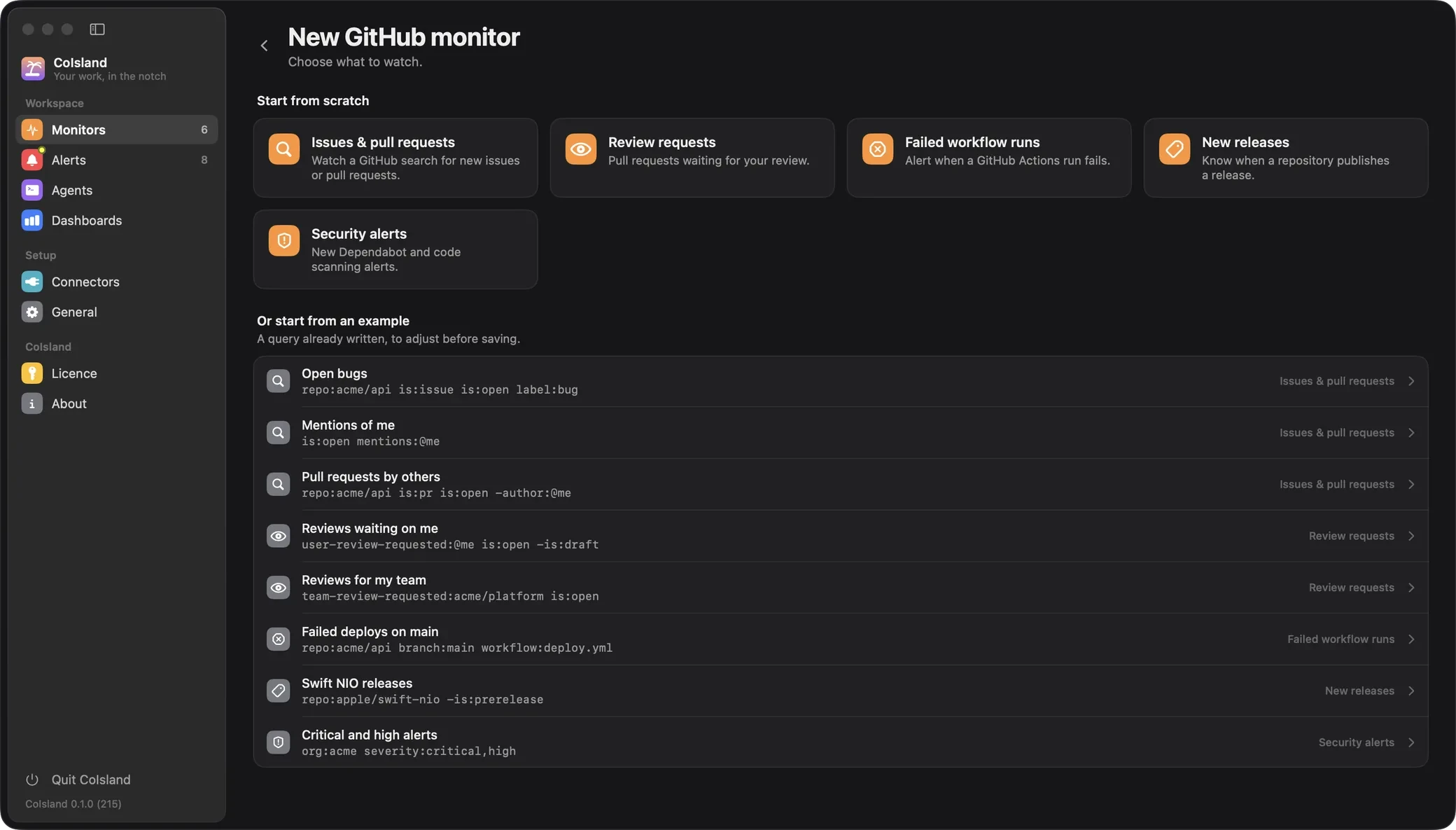
Set it up
- On GitHub, create a fine-grained personal access token, read-only, for the repositories to watch, with the Actions permission. Classic tokens work too. Connect GitHub has every field.
- In Settings › Connectors, add a GitHub connector: github.com, a GitHub Enterprise Server host or a GHE.com subdomain. The token goes to the macOS Keychain.
- In Settings › Monitors, add a monitor, pick GitHub, then Failed workflow runs.
The form asks for the repositories (one or more, as owner/name), then optional filters: status (failure unless you pick another), branch, event (push, pull_request, schedule), workflow (a file name like deploy.yml, or its ID) and actor. Only runs created in the last 7 days count.
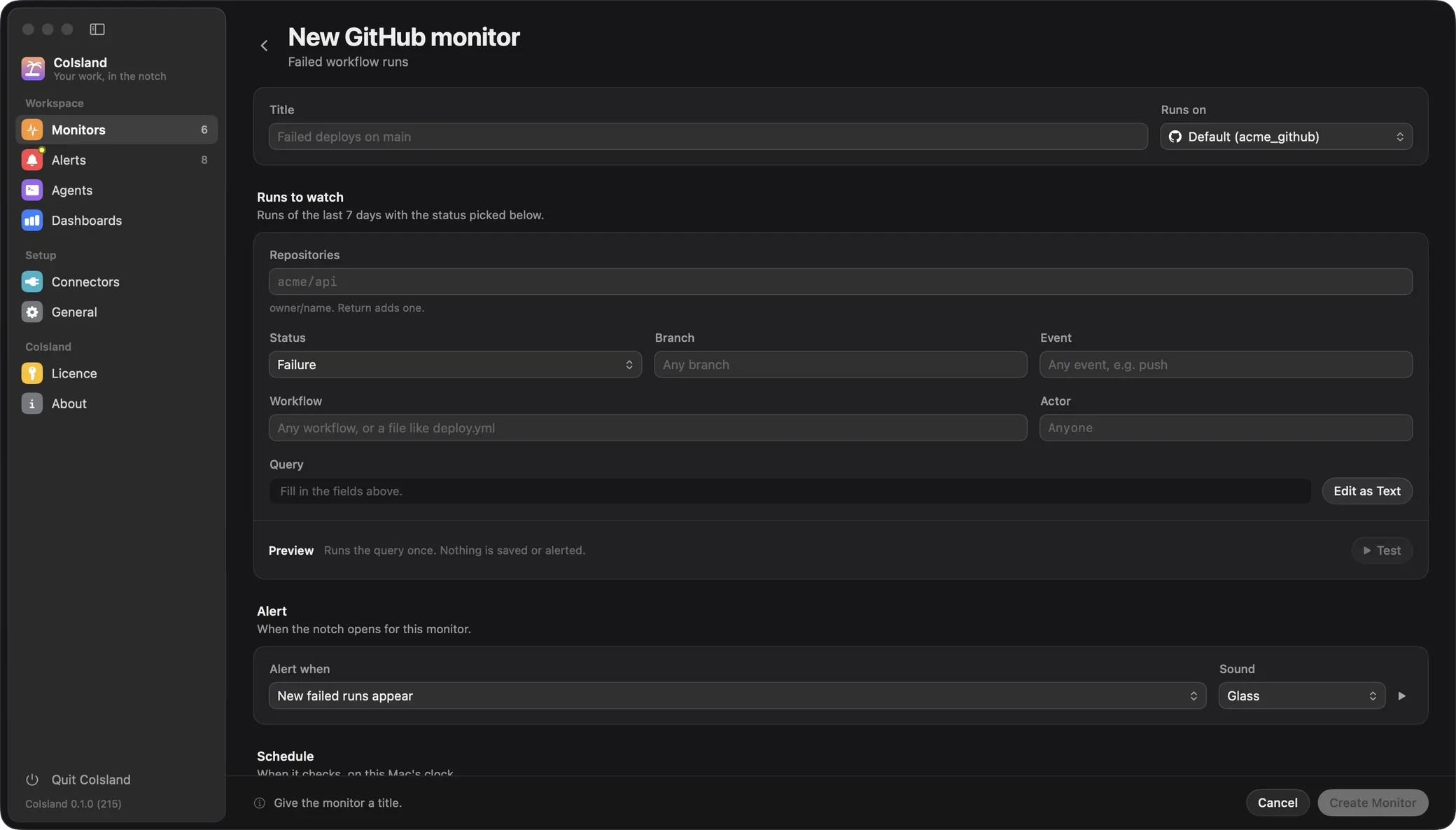
Edit as Text shows the query itself. Each of these lines is a monitor of its own:
repo:acme/api branch:main
repo:acme/api workflow:deploy.yml
repo:acme/api repo:acme/web event:schedule
repo:acme/api workflow:ci.yml status:timed_out
In order: every failed run on main; the deploy workflow on any branch; scheduled runs in two repositories; CI runs that timed out, which GitHub records as their own conclusion, apart from failure.
How it decides what is new
- The first check only takes note of the failed runs already there.
- After that, each failed run that was not there at the previous check becomes an alert.
- A re-run that fails again is a new attempt of the same run, and alerts again.
- If more than 100 runs of one repository match, the monitor does not compare a partial list: it asks you to narrow the query.
- Rather than each run, it can alert once when the number of failed runs goes over N.
It checks every 15 minutes unless you pick another interval, from 30 seconds to 30 days. Every monitor is also a .sql file in ~/.coisland/watches, whatever its connector, so you can write this one by hand or keep it in git (watch files):
-- name: Failed runs on main
-- kind: github.workflow-runs
-- connector: acme_github
-- every: 5m
-- alert: new-rows

repo:acme/api repo:acme/web branch:main
The alert in the island
A new failed run opens the island for a few seconds, with the monitor’s sound. The monitor’s ring, which counts down to its next check, pulses amber, and its card lists the run: its title, then the repository, workflow, run number, Failed, and who started it. Click the ring to open the alert, or press and hold it to mark the runs seen; the home page shows such cards. The alert stays in Alerts, new, then acknowledged or resolved, with your notes in its activity log.
Hand the failed run to Claude Code or Codex
Click Claude or Codex on the alert, or on the monitor’s card in the island (Cortex Code is there too, for Snowflake work). The agent’s own CLI starts in a terminal under the alert. Its first message is the whole alert: the monitor, its query, and the run as GitHub has it now, from branch, commit and attempt to who started it, how long it took and its link. It sums up what happened in two or three sentences, then asks what you want to do.

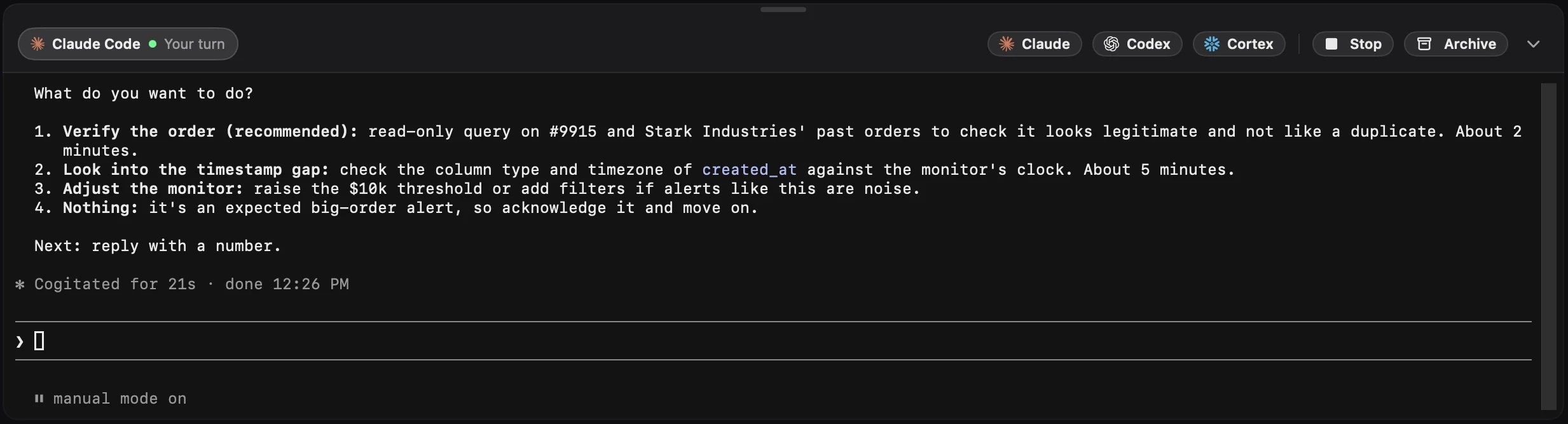
It starts in its auto mode:
- Claude Code with
--permission-mode auto: it decides what is safe to run and asks you for the rest. - Codex with the settings behind its
--approve-for-me(-c approvals_reviewer="auto_review" -c approval_policy="on-request" -c sandbox_mode="workspace-write"): its approvals are reviewed automatically, in the workspace-write sandbox.
The first message also tells the agent to ask you before anything destructive or hard to undo, and never to acknowledge or resolve the alert.
The logs are not in the alert. If the GitHub CLI is installed and signed in on your Mac, the agent can read them:
gh run view 35147394613 --repo acme/api --log-failedFrom the failed steps, it can explain the error and propose a fix. It runs in CoIsland’s own folder, not in your clone of the repository, so tell it where your checkout is when you want it to make the change; it asks you before anything destructive, and resolving the alert stays yours. The Agents section lists every session, to resume, stop or archive. More on agents, and on CoIsland for engineering teams: reviews, CI and security alerts.
Which way to use
| Way, and where it reaches you | Runs others start | Trade-off |
|---|---|---|
| GitHub settings: web inbox, email | No | One setting, nothing to maintain |
| GitHub Mobile: the app’s inbox | No | No push notification for runs |
| A workflow step: a chat channel | Yes | Code and a secret in each repository |
| GitHub app: a Slack or Teams channel | Yes | Every matching run posts, green ones too |
| CoIsland: an island on your Mac, then an agent | Yes | Checks on a schedule; runs of the last 7 days; Apple Silicon, macOS 14 or later |
They combine well: GitHub’s setting for your own runs, a channel for the team, and the island for the runs you answer for. See how CoIsland compares with GitHub’s notifications as a whole, what else the GitHub connector watches, and more guides.