

GitHub’s notification inbox tells you about everything you are subscribed to. That is its strength, and on a busy team it is why the inbox gets loud. CoIsland is a GitHub notifications alternative that works the other way around: you write a few narrow questions, such as “pull requests waiting on my review” or “failed runs on main”, and only their answers reach an island on your Mac. Here is a fair look at both.
What GitHub notifications do well
GitHub notifications follow your work with no setup. Opening, commenting on, being assigned to or being @mentioned in a conversation subscribes you to it, and watching the repositories and teams you join is on by default.
- Three places to read them. The web inbox, email, and GitHub Mobile, which syncs with the web inbox and can push direct mentions, assignments, review requests and deployment approval requests within working hours you set.
- An inbox made for triage. Each notification shows its reason, such as
review requestedormention. Default filters cover assignments, participation, review requests and @mentions of you or your team. Mark items Done, Save them, unsubscribe, or group them by repository or date. - Custom filters. Up to 15 of your own, built from
repo:,org:,reason:,author:andis:queries:
repo:acme/api reason:review-requested- Watch settings per repository. All activity, only what you take part in, chosen events with Custom (issues, pull requests, releases, security alerts, discussions), or Ignore.
- Email that sorts itself. Headers your mail client can filter on, and a separate address per organization.
- A record on GitHub’s side. Notifications stay 5 months, Saved ones indefinitely, and they arrive whether your laptop is open or not.
On a Mac, GitHub Desktop adds system notifications for the repository selected in it: failed checks on a pull request branch, and reviews on your pull request.
Why you get too many GitHub notifications
The inbox shows every notification you have not unsubscribed from or marked Done. The defaults that make it complete also make it loud:
- Everything you are subscribed to arrives. One old comment keeps a thread coming back, a repository on All Activity sends every conversation, and Dependabot’s pull requests land next to a teammate’s review request.
- Filters change the view, not the flow. Custom filters cannot search titles, cannot tell issues from pull requests, cannot exclude anything with
NOTor a minus sign, and stop at 15. - Failed runs reach whoever triggered them. Actions notifications cover the workflow runs you triggered, and a scheduled workflow notifies whoever created it or last changed its cron. The options are on GitHub, email, or failed workflows only. A teammate’s red build on
mainis not yours by default. - Security alerts follow watch settings. Dependabot alerts reach you only if you watch the repository with All Activity or custom Security alerts, and web and email notifications cover new critical or high vulnerabilities, not updated ones.
How CoIsland works as a GitHub notifications alternative
CoIsland subscribes you to nothing. You add a GitHub connector with a read-only token, then monitors. Each monitor is one GitHub query, run against GitHub’s REST API on your schedule: from every 30 seconds to once every 30 days, 15 minutes by default. The first check silently records what already matches. After that, an item that starts matching raises an alert, or a count rule fires once when the number of items crosses a threshold you set.

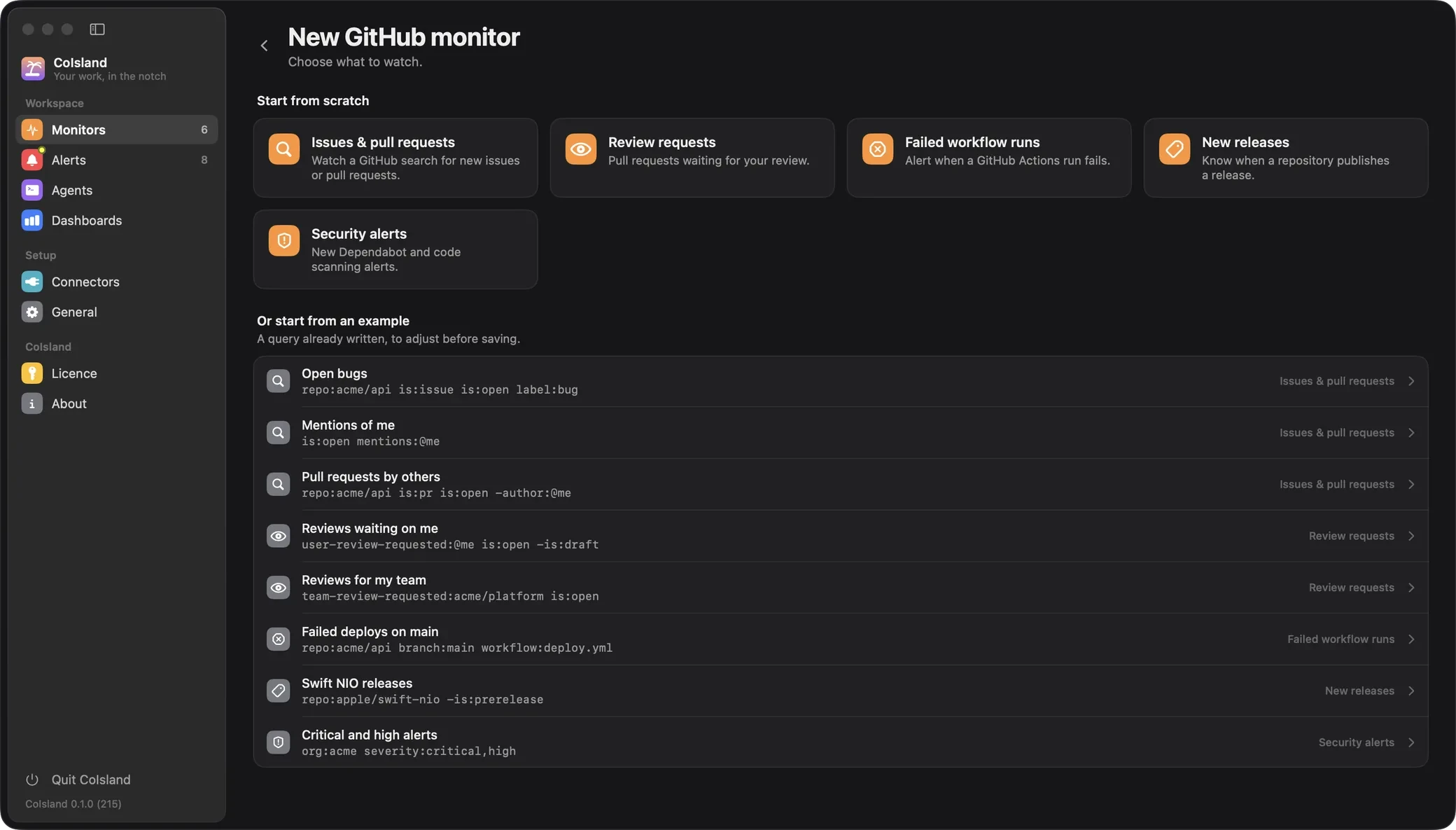
Review requests waiting on you
user-review-requested:@me is:open draft:falseOr team-review-requested:acme/platform is:open for your team. CoIsland adds is:pr for you. A pull request leaves the result once you review it, so a new request on it alerts again.
Failed runs on the branches you name
repo:acme/api repo:acme/web branch:mainAny failed run there alerts, whoever started it. Runs of the last 7 days are compared, and a re-run that fails again alerts again. Add workflow:deploy.yml, event:schedule or actor:, or set status:timed_out; the status is failure unless you say otherwise. Step by step: GitHub Actions failure notifications on Mac.
Critical security alerts across an organization
org:acme severity:criticalIt reads open Dependabot and code scanning alerts unless tool: names others, such as tool:dependabot,secret-scanning. Secret scanning needs admin access, and the secret itself is never fetched. Watching a whole organization takes an organization owner or security manager, as GitHub’s API requires.

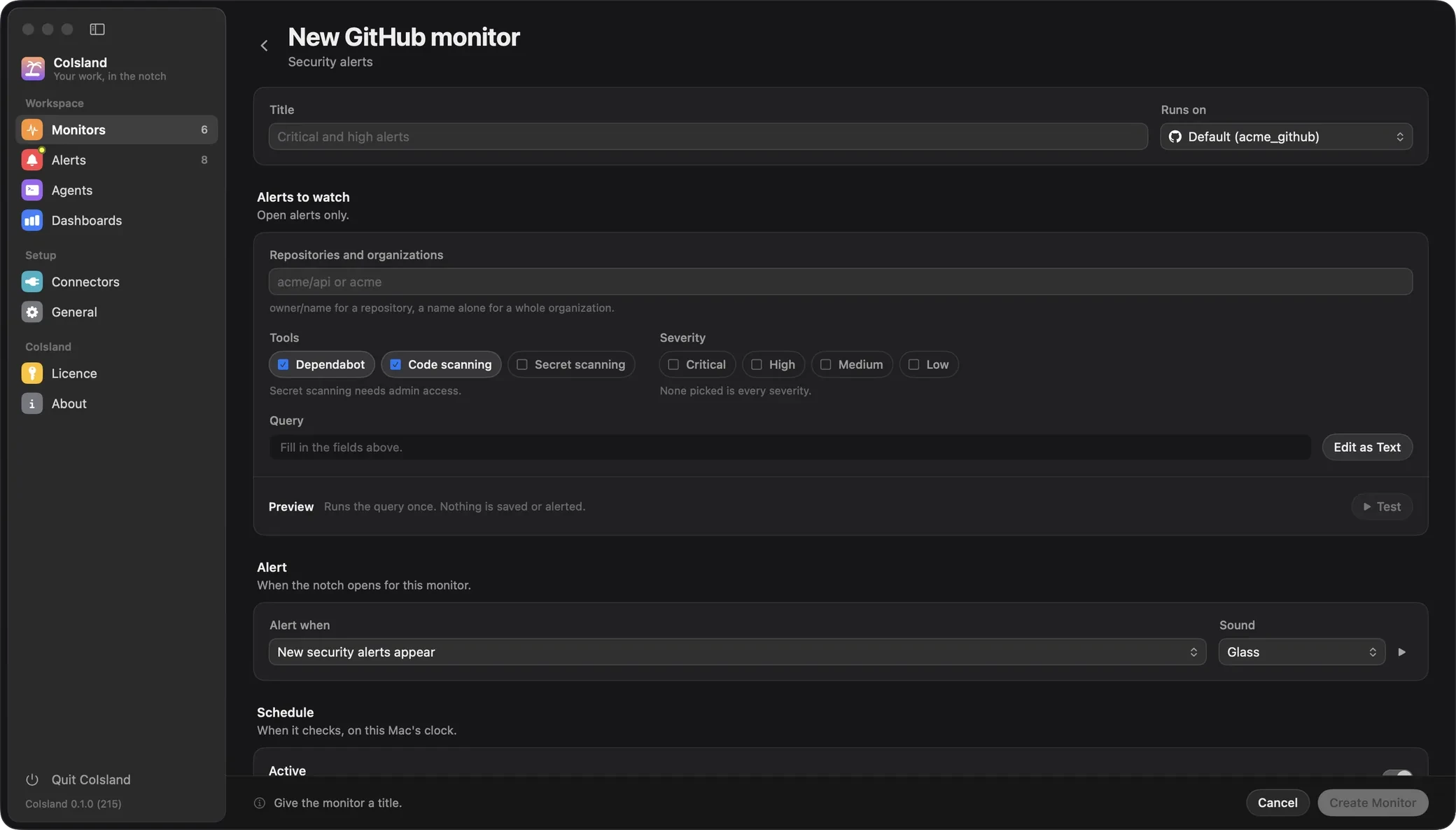
Releases of a dependency
repo:apple/swift-nio -is:prereleaseReleases published in the last 30 days alert; drafts never count. A fine-grained token reads every public repository on github.com, so a dependency you do not own works too.
Any GitHub search
repo:acme/api is:pr is:open -author:@meThe same search syntax as github.com, exclusions included.

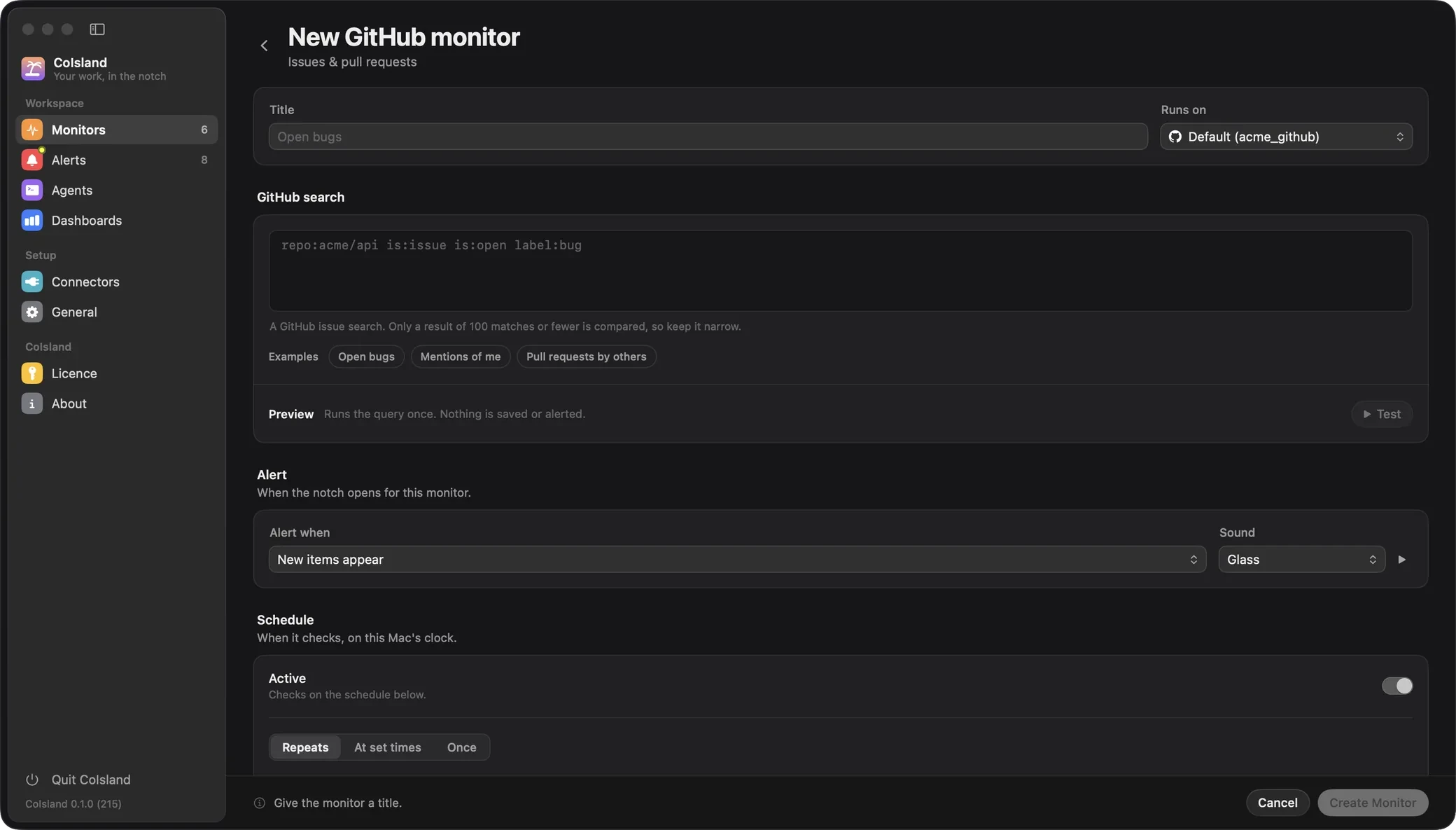
Every monitor is a text file
Monitors live in ~/.coisland/watches, so you can read them, share them or keep them in git:
-- name: Failed deploys on main
-- kind: github.workflow-runs
-- connector: acme_github
-- every: 5m
-- alert: new-rows
-- sound: Glass

repo:acme/api branch:main workflow:deploy.yml
GitHub notifications on your Mac, in the island
When a monitor finds something new, the island opens and plays its sound once. The card says what the monitor watches, such as the repository and branch, and lists each new item: its title, then the repository and number, its state, the author and how long ago.
Open the alert and each item reads as GitHub has it: a pull request’s description and latest comments, a run’s branch, commit, attempt and duration, a Dependabot alert’s package, patched version and advisory, with a link to GitHub. You acknowledge, annotate and resolve alerts; the 500 newest are kept.
Then hand it to an agent. Claude Code, Codex or Cortex Code opens in a terminal under the alert, with the whole alert as its first message, fixes what is safe and asks you before anything destructive. See agents.
Connectors for Vercel, Sentry, Jira, Linear, PagerDuty and more sit beside GitHub today, so a failed deploy and its ticket show up in one place: see CoIsland for engineering teams.
Where CoIsland is weaker
- It runs on your Mac. Checks happen only while CoIsland runs and the Mac is awake and unlocked, with its screens on. A missed check runs once when you are back. GitHub delivers either way.
- Searches stop at 100 matches. When more match, nothing is compared and the monitor asks you to narrow the query; a count rule can still fire.
- It is read-only. It cannot review, merge, re-run a workflow or dismiss an alert. You act on GitHub, or ask the agent, which asks you first.
- It is not a conversation inbox. An item alerts when it starts matching. A new comment on a pull request already in the result does not alert again.
- It is one person’s view. Each person runs it with their own token, and there is no shared routing for a team. It needs an Apple Silicon Mac on macOS 14 or later.
GitHub notifications vs CoIsland
| GitHub notifications | CoIsland | |
|---|---|---|
| What reaches you | Everything you are subscribed to or watching | Only what your monitors ask for |
| How you narrow it | Watch settings, up to 15 inbox filters without exclusions | A full GitHub search or filter per monitor |
| Failed Actions runs | Runs you triggered; scheduled ones go to the workflow’s creator | Any failed run in the repositories, branches and workflows you name |
| Security alerts | Set by watch settings; new critical or high Dependabot alerts | Open Dependabot and code scanning alerts, secret scanning by name, filtered by severity |
| Where you hear | Web inbox, email, GitHub Mobile; GitHub Desktop for its selected repository | An island on your Mac, with a sound |
| While your Mac sleeps | Still delivered | Paused; a missed check runs once on wake |
| Acting on it | Review, reply and merge on GitHub, or reply by email | Read-only: open it on GitHub, or hand it to an agent |
| Other tools | GitHub only | 10 more connectors in the same island |
| History | 5 months; Saved kept indefinitely | The 500 newest alerts, with their activity |
| Price | Part of your GitHub account | 2 monitors free with CoIsland Community; Lifetime once from $29 |
When to pick which, and how to use both
Stay with GitHub notifications alone if you need the conversation: comments, mentions and threads across many repositories, on your phone as much as at your desk. Add CoIsland for the few events you must act on quickly, whoever caused them.
You can keep both:
- Keep the inbox for conversations. Set busy repositories to participating and @mentions, and add a custom filter such as
org:acme reason:mention. - Connect GitHub. Create a read-only fine-grained token and add a GitHub connector for github.com, GitHub Enterprise Server or GHE.com, as Connect GitHub explains.
- Add three monitors. Reviews waiting on you, failed runs on
mainand critical security alerts, from the examples in the New GitHub monitor screen. - Turn down what the island covers. For example, set Actions notifications to failed workflows only.
- Hand the next red build to an agent.
There is more on the GitHub connector page, the same comparison for Snowflake alerts, and every comparison in one place.